100 | Configuring and Using Device Groups in AWMS Dell PowerConnect W AirWave 7.1 | User Guide
Configuring Radio Settings for Device Groups
The Groups > Radio configuration page allows you to specify detailed RF-related settings for devices in a
particular group.
Perform the following steps to define RF-related radio settings
for groups.
1. Navigate to the Gr
oups > List page and select the group for which to define radio settings by clicking the
group name. Alternatively, click Add from the Groups > List page to create a new group, define a group
name. In either case, the Monitor page appears.
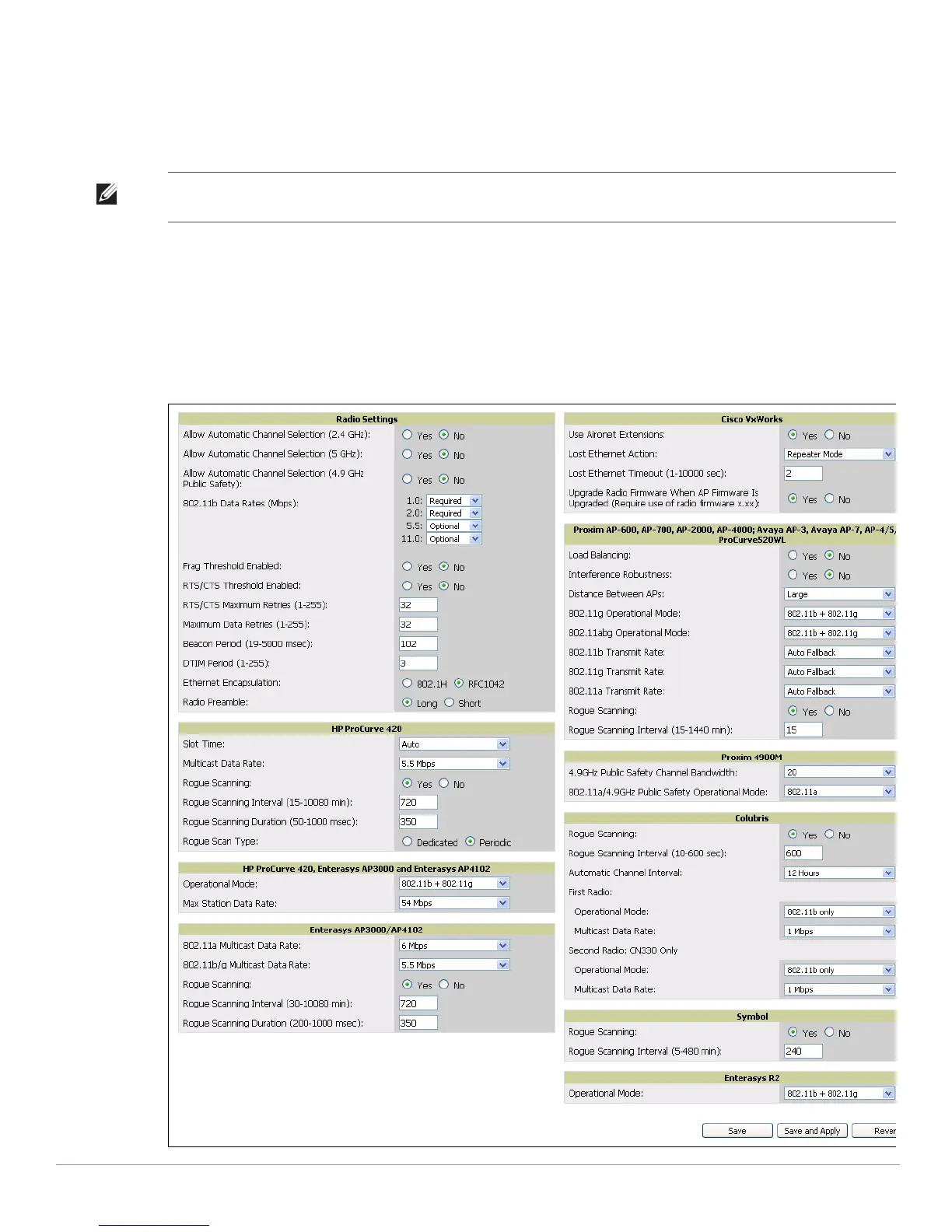
2. Navigate to the Group
s > Radio page. Figure 48 illustrates this page.
Figure 48 Groups
> Radio Page Illustration
Note: If you have existing deployed devices, you may want to use the current RF settings on those devices as a guide for
configuring the settings in your default Group.



 To Next Page
 Loading...