Dell PowerConnect W AirWave 7.1 | User Guide Creating, Running, and Emailing Reports | 275
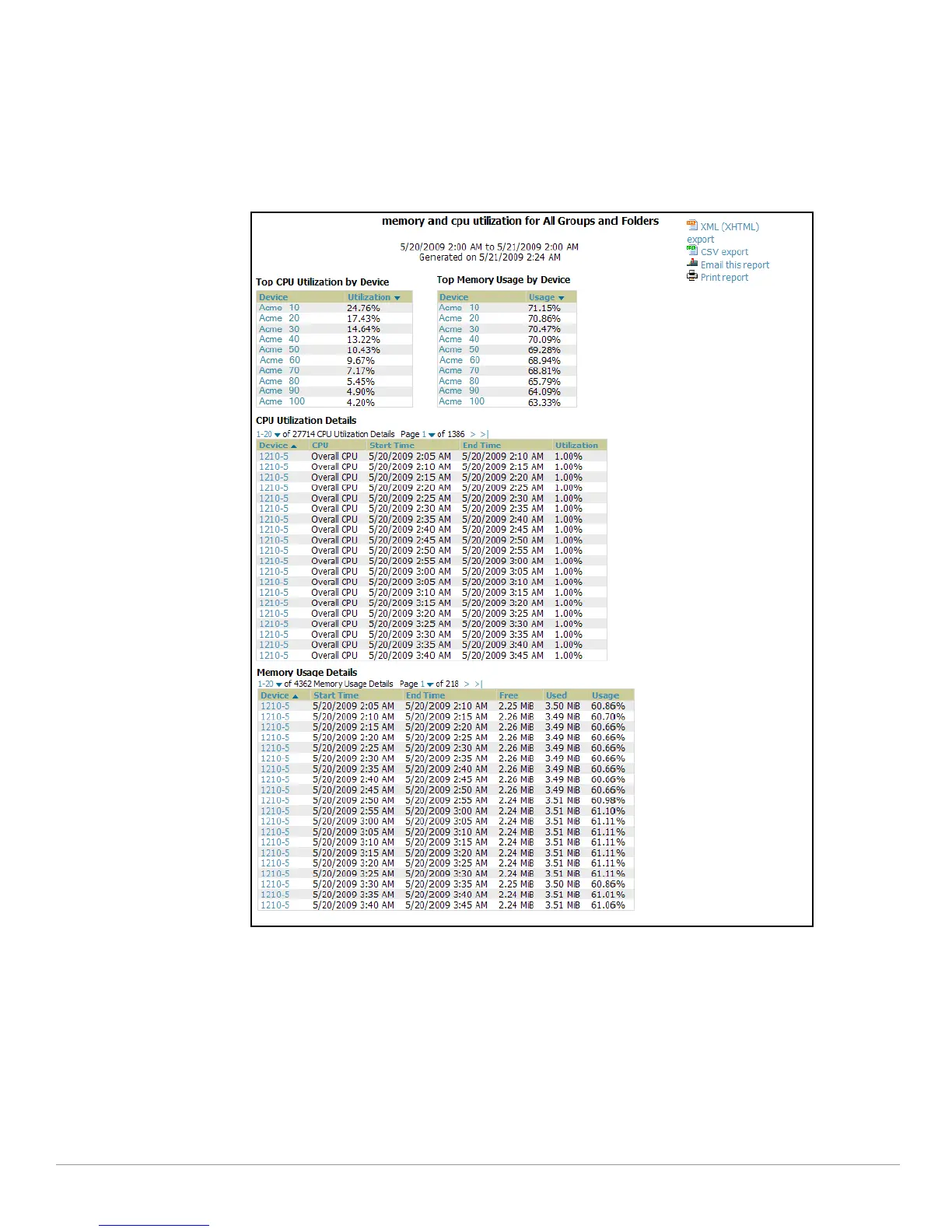
2. Scroll to the bottom, and click Daily Memory and CPU Usage to display report Detail information.
3. The Detail p
age allows you to view device or other information by clicking the device name, IP address, MAC
Address, Group, Folder, or associated controller links.
Figure 191 illustrates the Reports
> Generated > Daily Memory and CPU Usage Detail page.
Figure 191 Report
s > Generated > Daily Memory and CPU Usage Report Illustration
(Contents Rearranged for Space)



 To Next Page
 Loading...