Steps
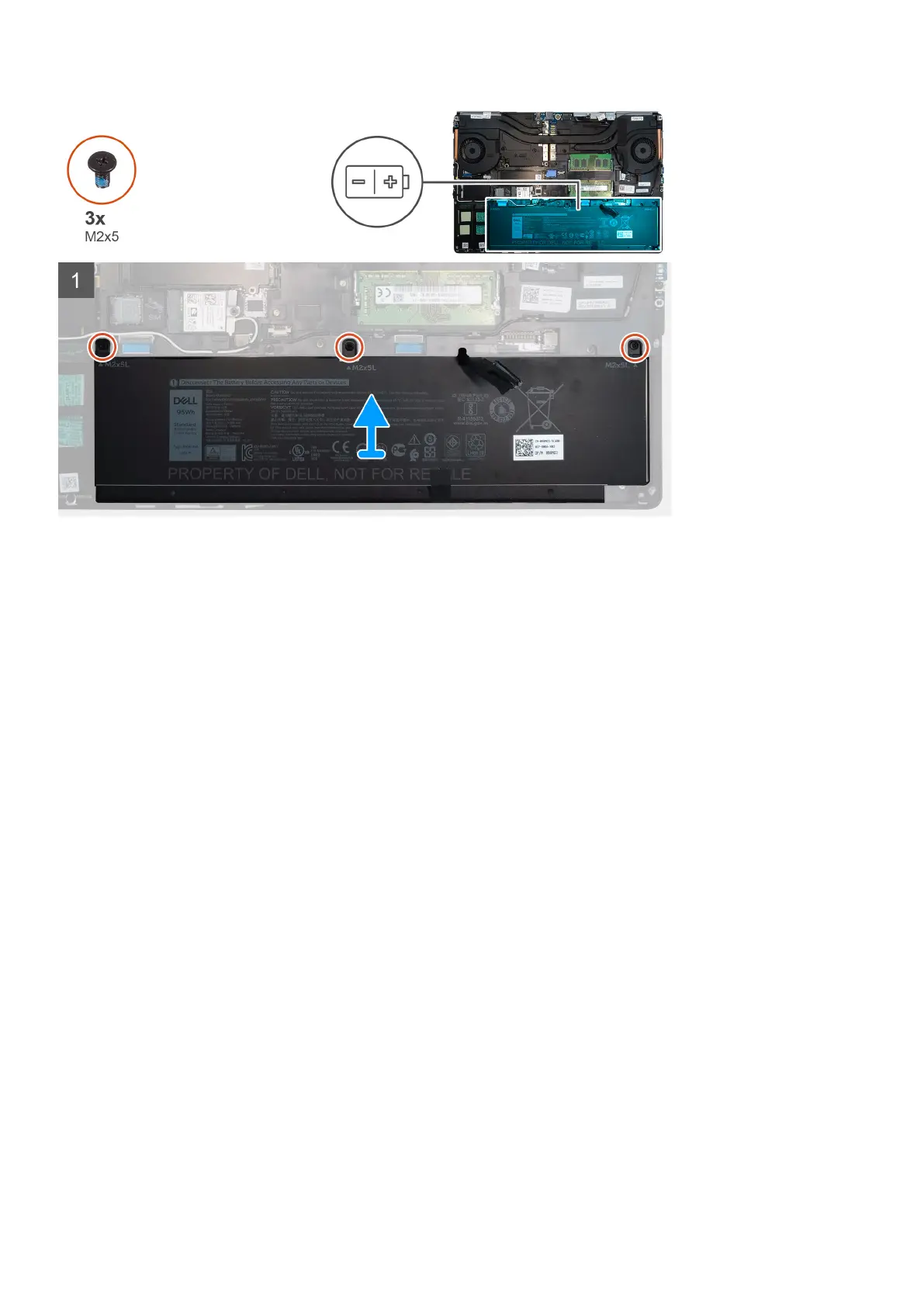
1. Remove the three (M2x5) screws that secure the battery to the computer.
2. Slightly lift the battery and disconnect the battery cable from the connector on the battery.
3. Remove the battery away from the computer.
Installing the battery
Prerequisites
If you are replacing a component, remove the existing component before performing the installation procedure.
About this task
The figure indicates the location of the battery and provides a visual representation of the installation procedure.
Disassembly and reassembly
27















 To Next Page