Steps
1. Place the power button assembly with fingerprint reader into its slot on the computer.
2. Replace the two (M2x3) screws to secure the power button assembly with fingerprint reader in place.
Next steps
1. Install the power button board assembly with fingerprint reader.
2. Install the heat-sink assembly.
3. Install the battery.
4. Install the base cover.
5. Install the SD card.
6. Follow the procedure in after working inside your computer.
GPU power cable
Removing the GPU power cable
Prerequisites
1. Follow the procedure in before working inside your computer.
2. Remove the SD card.
3. Remove the base cover.
4. Remove the battery.
5. Remove the keyboard lattice.
6. Remove the keyboard.
About this task
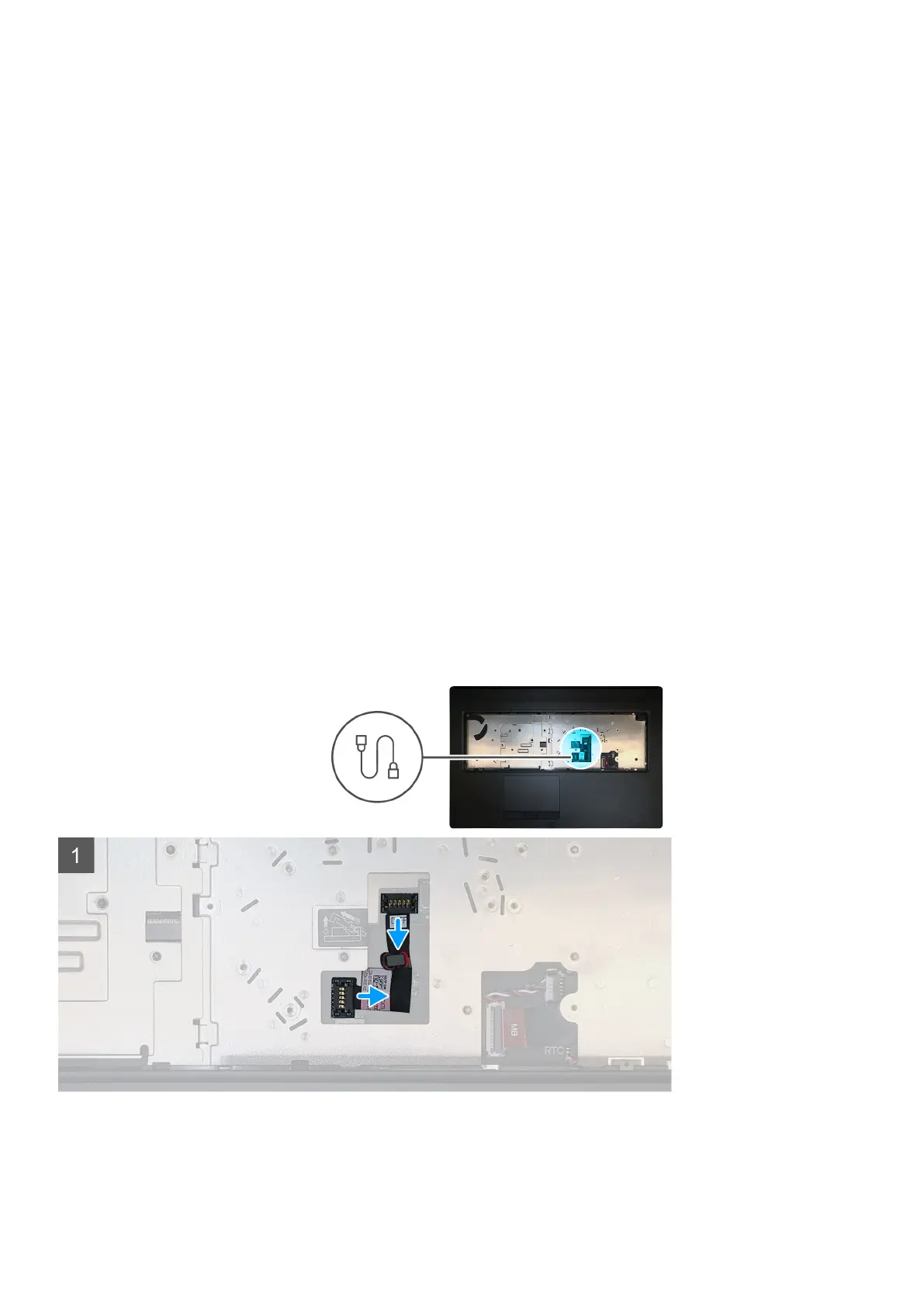
The figure indicates the location of the GPU power cable and provides a visual representation of the removal procedure.
Steps
1. Carefully pry the GPU power cable connector outside the end of the connector head to unlock the GPU power cable connector from
the GPU card.
60
Disassembly and reassembly















 To Next Page