22. Remove the display bezel.
23. Remove the display panel.
About this task
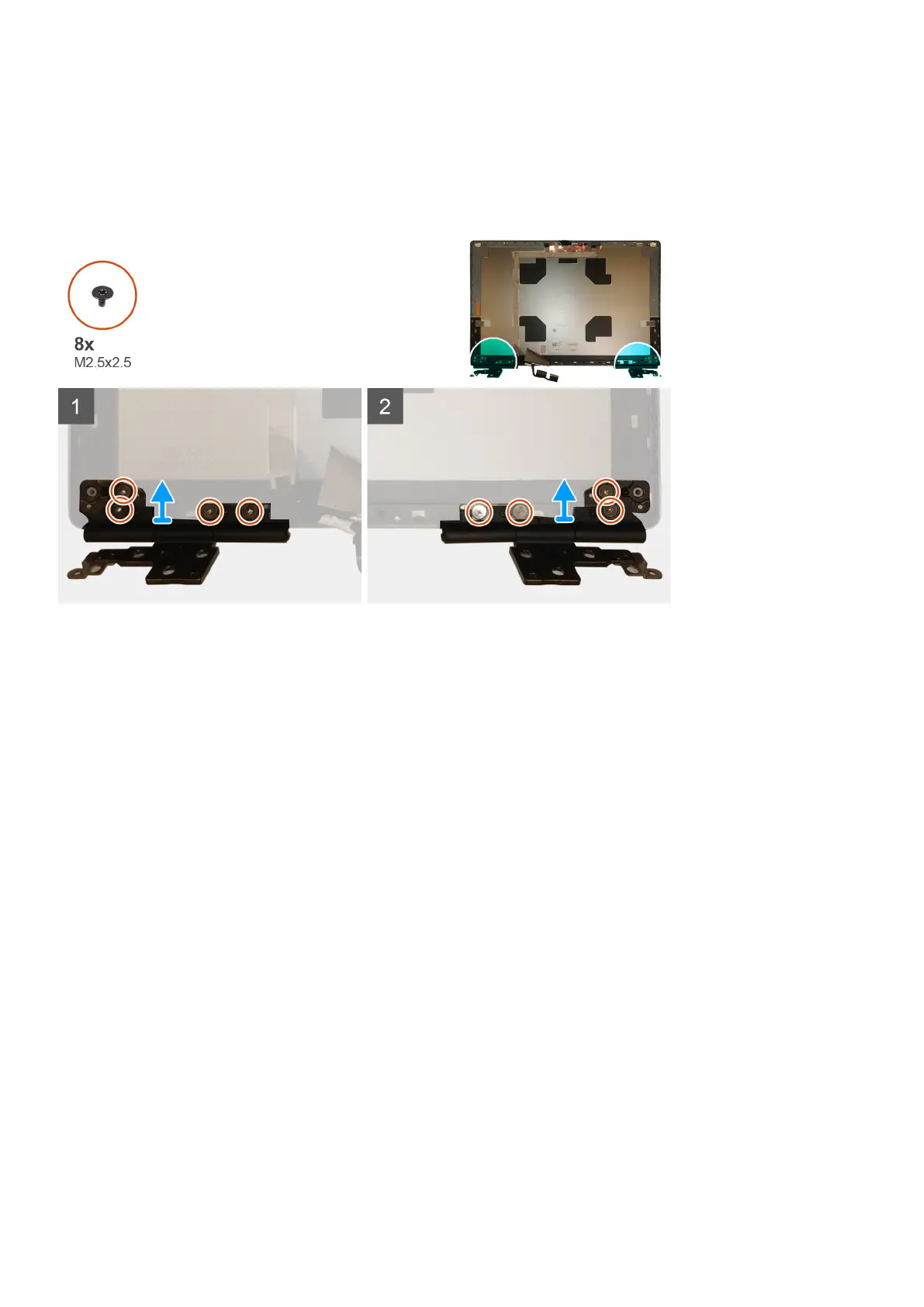
The figure indicates the location of the display hinge and provides a visual representation of the removal procedure. Images to be uploaded
in the next review cycle.
Steps
1. Remove the eight (M2.5x2.5) screws that secures the display hinges to the display assembly.
2. Remove the display hinges.
Installing the display hinge (non-touch)
Prerequisites
If you are replacing a component, remove the existing component before performing the installation procedure.
About this task
The figure indicates the display hinge and provides a visual representation of the installation procedure.
Disassembly and reassembly
87















 To Next Page