Steps
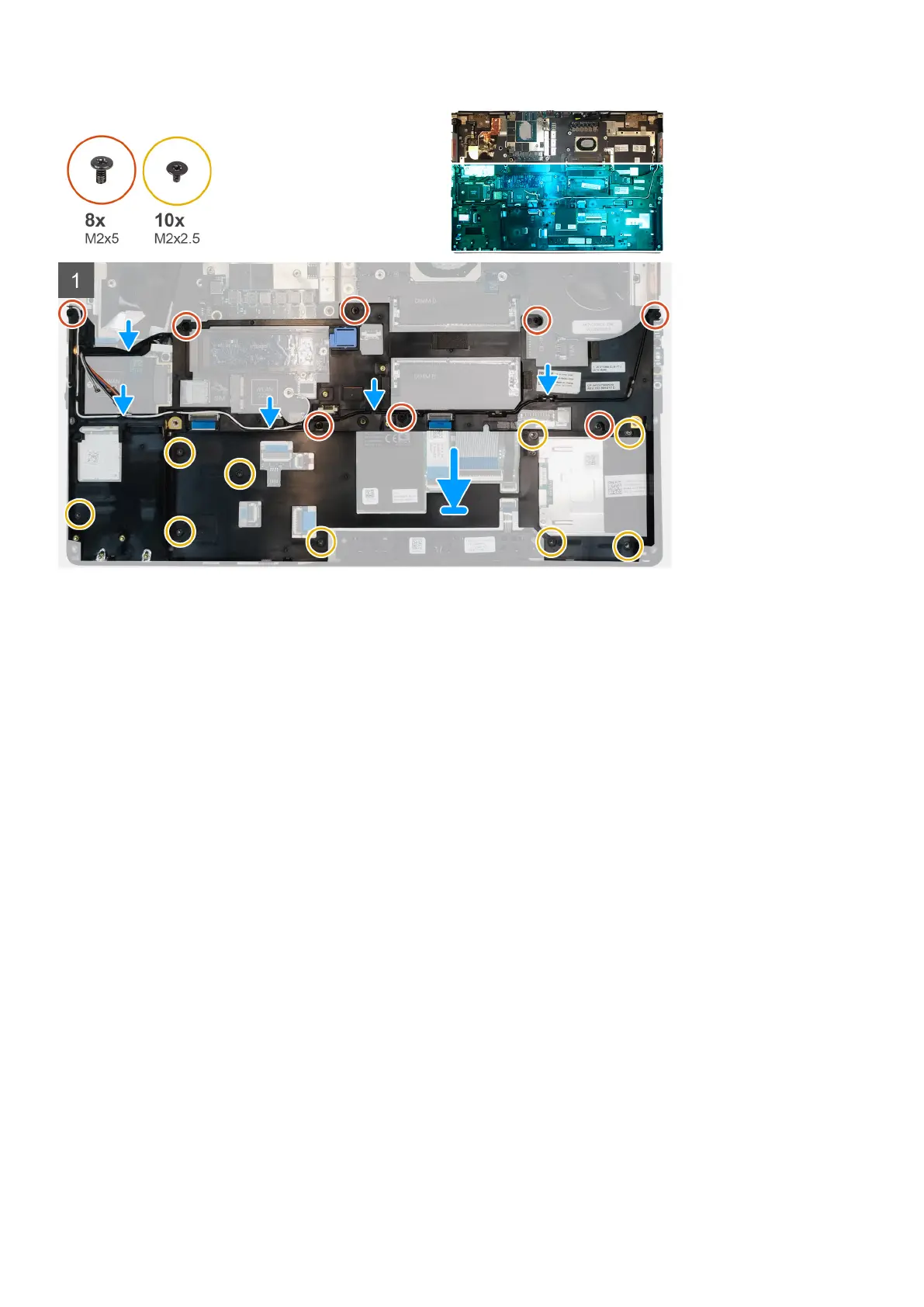
1. Align and place the inner frame in the computer chassis.
2. Replace the eight (M2x5) and the ten (M2x2.5) screws to secure the inner frame in place.
3. Route the WLAN and WWAN antenna cables through the routing guide.
Next steps
1. Install the WLAN card.
2. Install the WWAN card.
3. Install the primary M.2 SSD.
4. Install the battery.
5. Install the base cover.
6. Install the SD card.
7. Follow the procedure in after working inside your computer.
Smart card cage
Removing the smart-card reader
Prerequisites
1. Follow the procedure in before working inside your computer.
2. Remove the SD card.
3. Remove the base cover.
4. Remove the battery.
5. Remove the primary M.2 SSD.
6. Remove the inner frame.
Disassembly and reassembly
51















 To Next Page