About this task
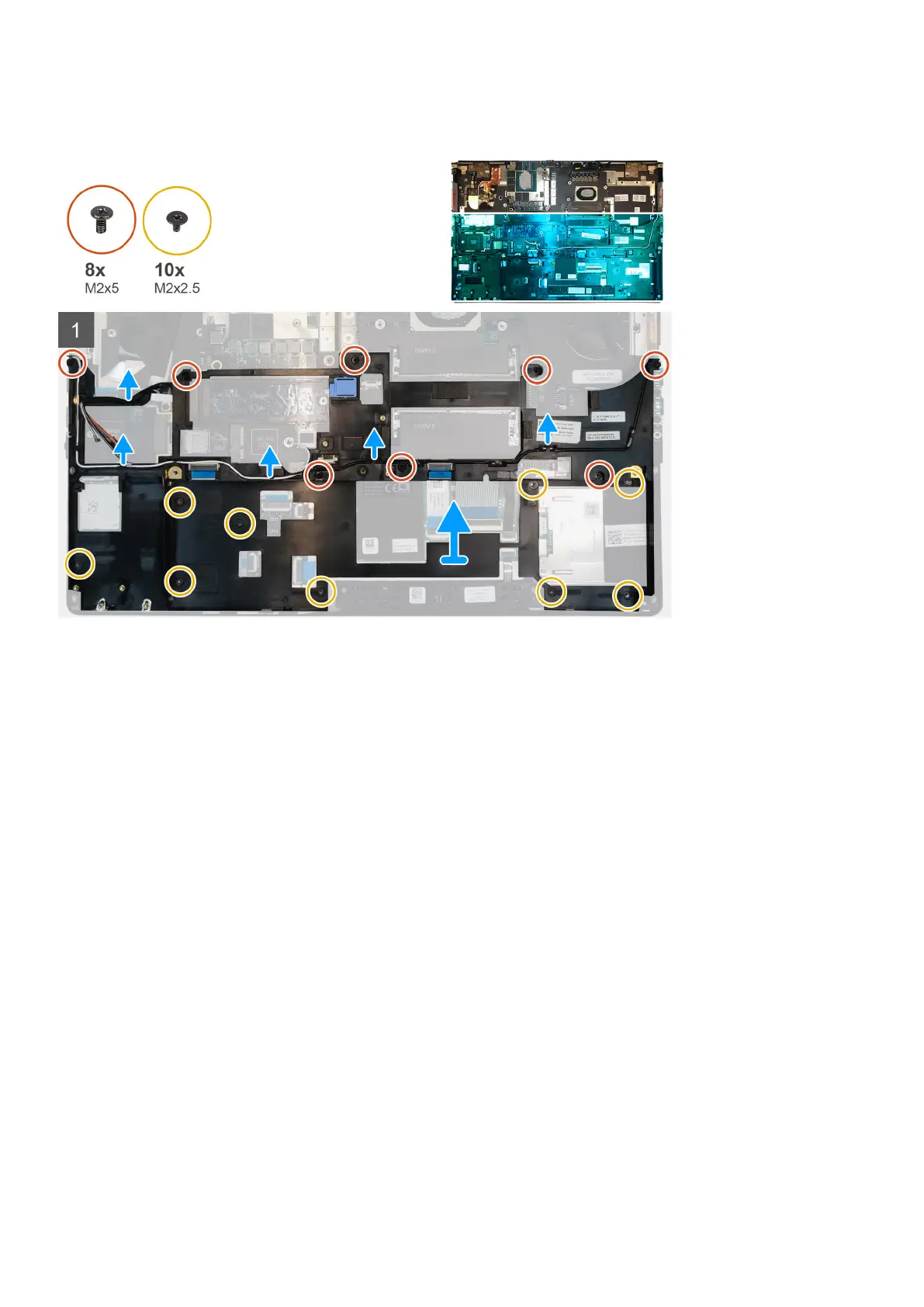
The figure indicates the location of the inner frame and provides a visual representation of the removal procedure.
Steps
1. Unroute the WLAN and WWAN antenna cables from the routing guide.
2. Remove the eight (M2x5) and the ten (M2x2.5) screws that secure the inner frame to the computer chassis.
3. Remove the inner frame from the computer.
Installing the inner frame
Prerequisites
If you are replacing a component, remove the existing component before performing the installation procedure.
About this task
The figure indicates the location of the inner frame and provides a visual representation of the installation procedure.
50
Disassembly and reassembly















 To Next Page