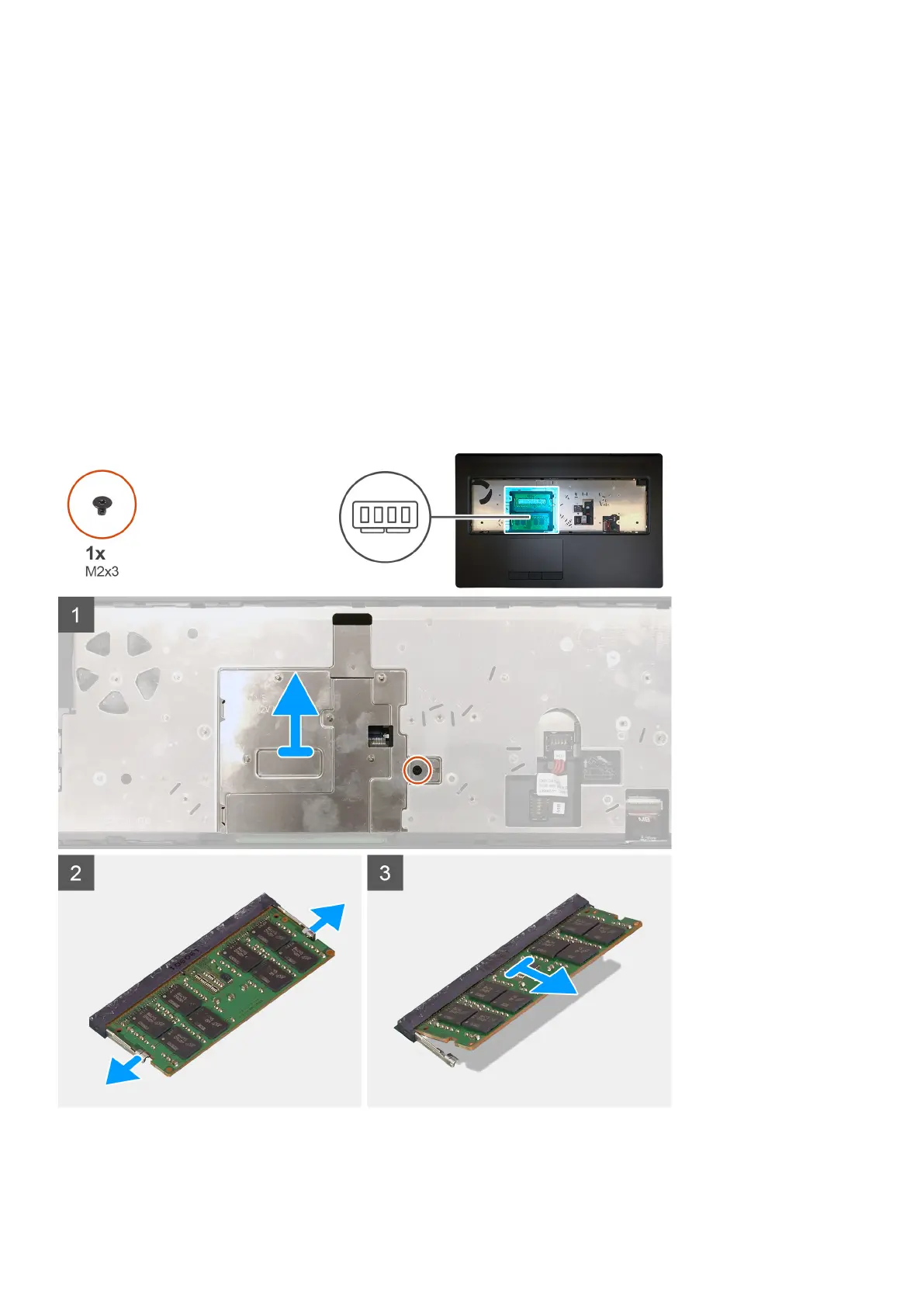
Primary memory module
Removing the primary memory module
Prerequisites
1. Follow the procedure in before working inside your computer.
2. Remove the SD card.
3. Remove the base cover.
4. Remove the battery.
5. Remove the keyboard lattice.
6. Remove the keyboard.
About this task
The figure indicates the location of the primary memory module and provides a visual representation of the removal procedure.
Steps
1. Remove the (M2x3) screw that secures the memory shield in place.
Disassembly and reassembly
41















 To Next Page