Steps
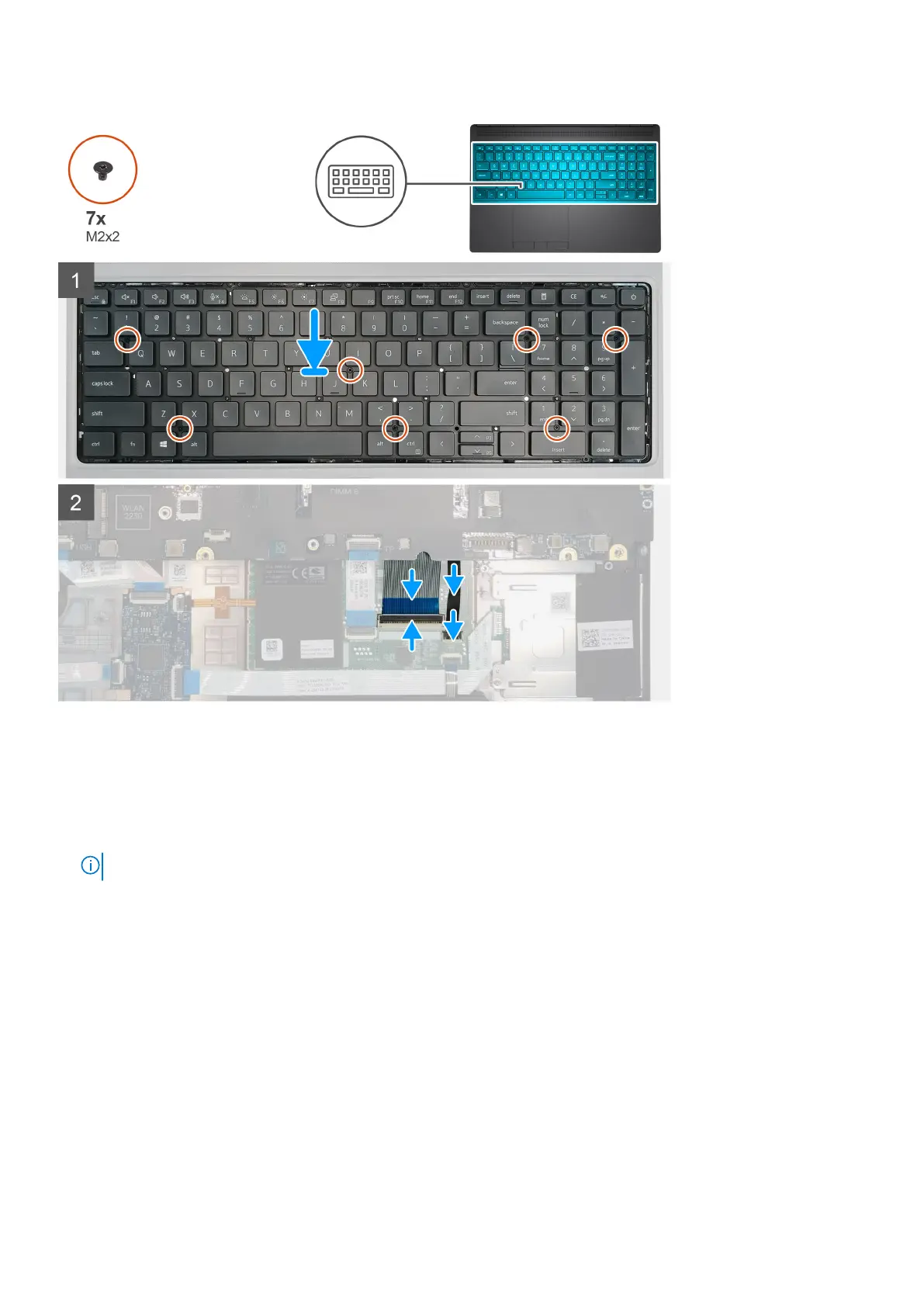
1. Align the keyboard to its slot on the palmrest
2. Route the keyboard cable and the keyboard backlight cable through the bottom of the palmrest.
3. Replace the seven (M2x2) screws to secure the keyboard to the palmrest.
4. Turn-over the system at 90° angle to access the keyboard and the keyboard backlight cables.
5. Connect the keyboard backlight cable and the keyboard cable to the connectors on the system board.
NOTE: Ensure that you fold the keyboard data cable in perfect alignment.
Next steps
1. Install the keyboard lattice.
2. Install the battery.
3. Install the base cover.
4. Install the SD card.
5. Follow the procedure in after working inside your computer.
40
Disassembly and reassembly















 To Next Page