Steps
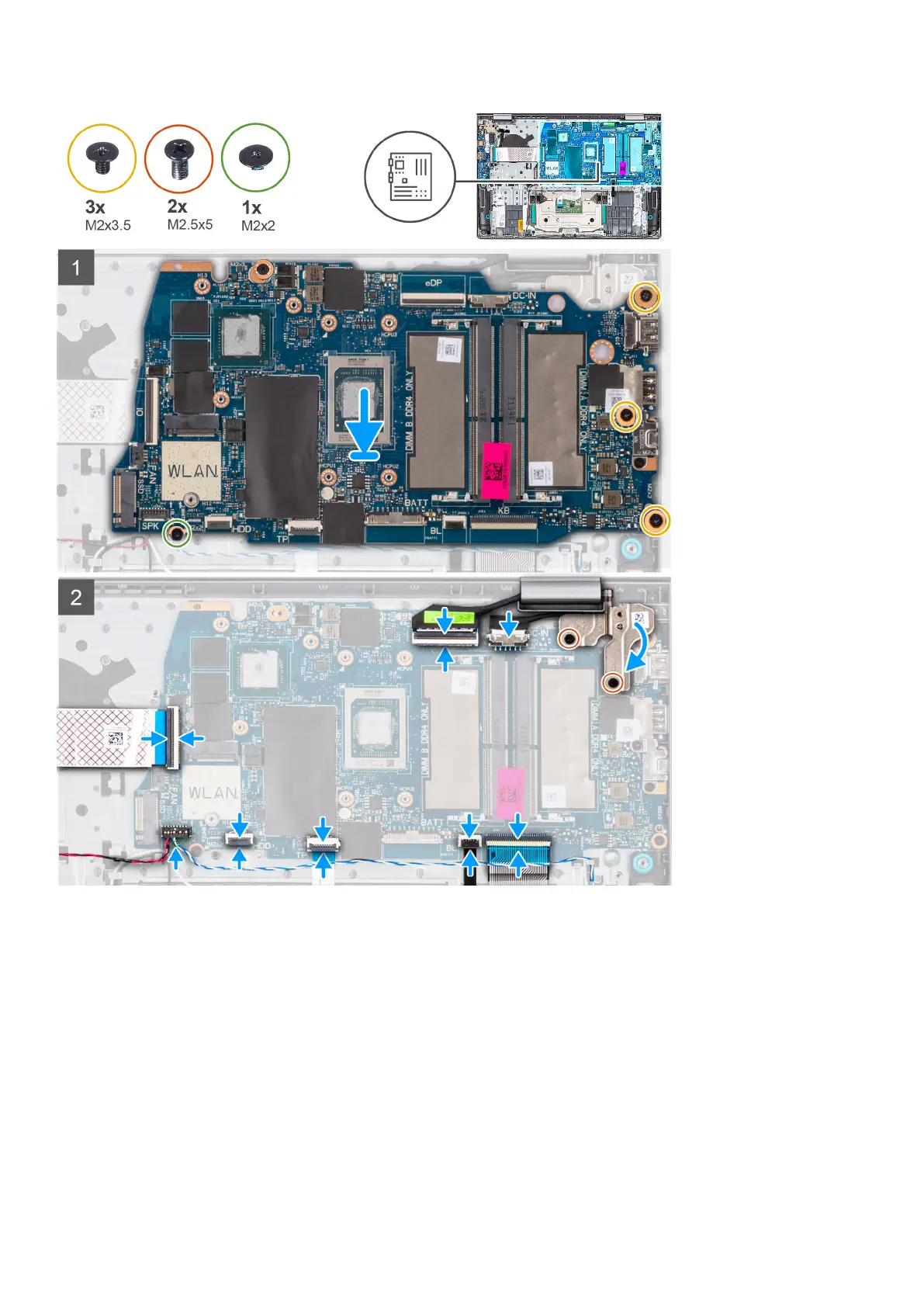
1. Place the system board on the palm-rest and keyboard assembly.
2. Align the screw holes on the system board with the screw holes on the palm-rest assembly.
3. Replace the single (M2x2) screw that secures the system board to the palm-rest assembly.
4. Replace the three (M2x3.5) screws that secure the system board to the palm-rest assembly.
5. Connect the following cables to the system board:
a. I/O board Flexible Flat cable
b. Speaker cable
c. Touchpad Flexible Flat cable
d. Keyboard backlight Flexible Printed cable (for systems with backlit keyboard)
e. Keyboard Flexible Printed cable
f. Power adapter port cable
g. eDP cable
Removing and installing components
83



 To Next Page