Steps
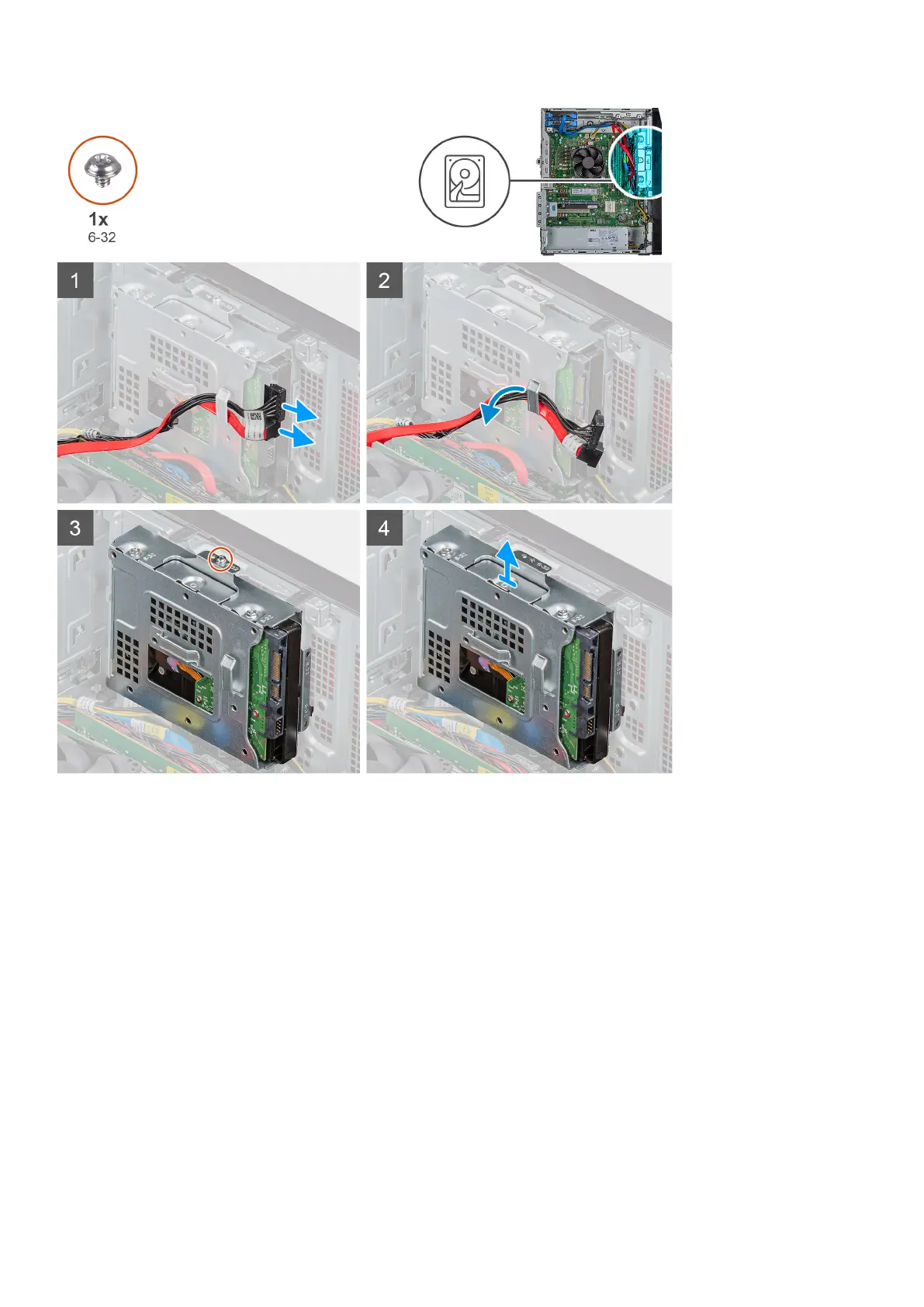
1. Lay the computer on the right side.
2. Disconnect the data and power cables from the hard drive.
3. Remove the cables from the routing guides on the hard-drive assembly.
4. Remove the single (6-32) screw that secures the 3.5-inch hard-drive assembly to the chassis.
5. Lift the hard-drive assembly away from the chassis.
6. Remove the four (6-32) screws that secure the the hard drive to the hard-drive cage.
7. Remove the hard drive from the hard-drive cage.
Installing the 3.5-inch hard drive
Prerequisites
About this task
The following images indicate the location of the 3.5-inch hard drive and provide a visual representation of the installation procedure.
26
Disassembly and reassembly



 To Next Page