Steps
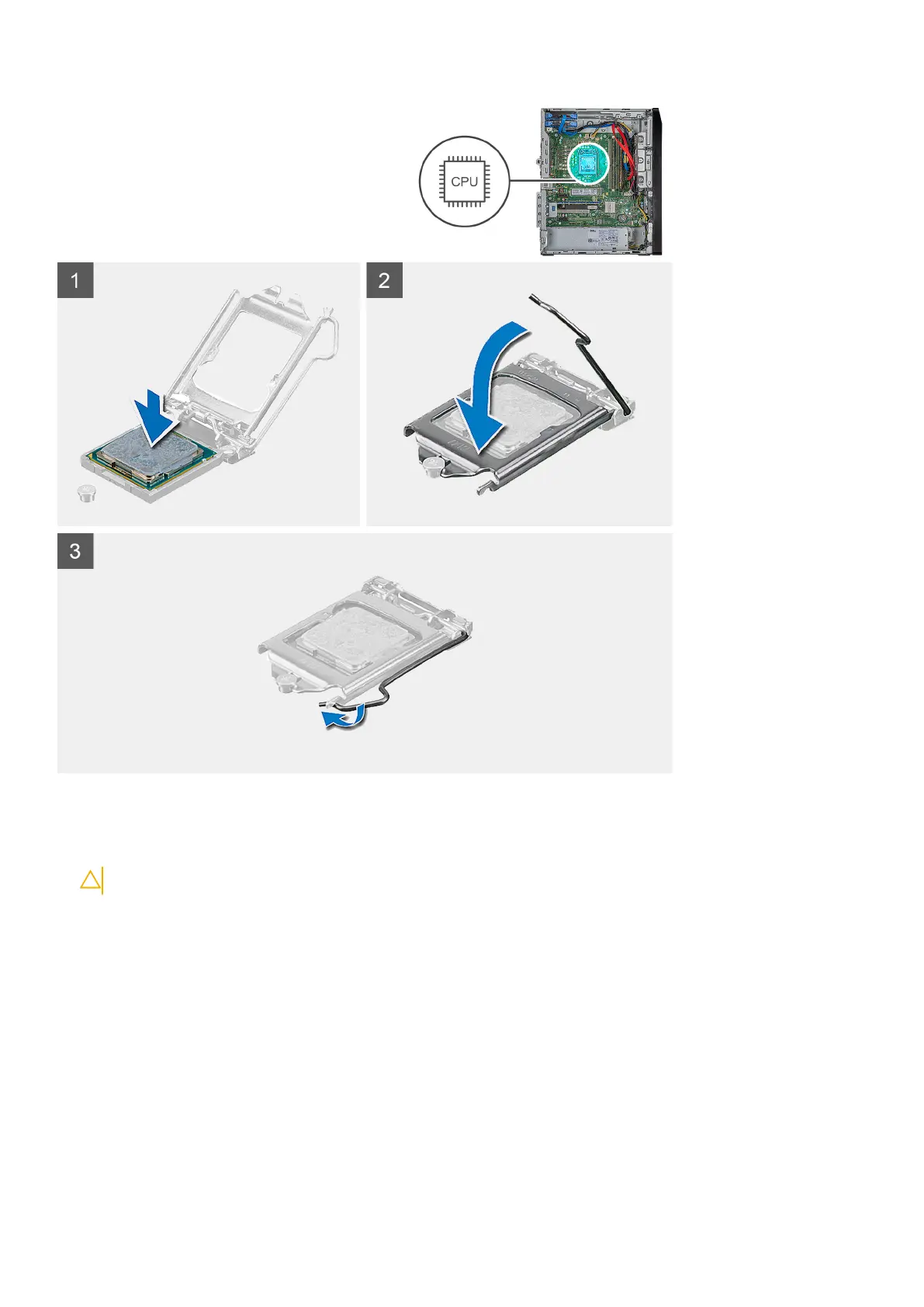
1. Ensure that the release lever on the processor socket is fully extended in the open position.
2. Align the notches on the processor with the tabs on the processor socket and place the processor in the processor socket.
CAUTION: Ensure that the processor-cover notch is positioned underneath the alignment post.
3. When the processor is fully seated in the socket, pivot the release-lever down and place it under the tab on the processor cover.
Next steps
1. Install the processor fan and heat-sink assembly.
2. Install the right-side cover.
3. Follow the procedure in After working inside your computer.
Disassembly and reassembly
47



 To Next Page