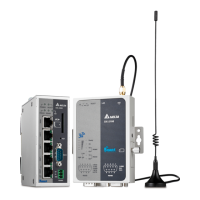
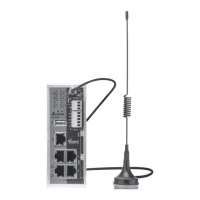
DX-2300 Series Industrial Ethernet Cloud
Router User Manual
Table of Contents
Chapter 1 Introduction
1.1 Product Overview .......................................................................................... 1-3
1.1.1 Network Design ...................................................................................... 1-3
1.1.2 Features................................................................................................. 1-4
1.1.3 Front Panel Ports and LEDs ....................................................................... 1-5
1.1.4 Bottom Panel .......................................................................................... 1-5
1.1.5 Dimension .............................................................................................. 1-6
1.2 Package Checklist ......................................................................................... 1-7
Chapter 2 User Interface
2.1 Web-based GUI Configuration ............................................................................ 2-2
2.1.1 System Connection .................................................................................... 2-2
2.1.2 Default IP Address/Account/Password .......................................................... 2-2
2.1.3 Local Network Setups ................................................................................. 2-2
2.1.4 Logging in ................................................................................................ 2-4
2.2 DIADevice ....................................................................................................... 2-5
2.2.1 Device connection and detection.................................................................. 2-6
2.2.2 Network Setting ........................................................................................ 2-7
2.2.3 Bind Device .............................................................................................. 2-9
2.2.4 Open Device Webpage .............................................................................. 2-11
Chapter 3 Functions
3.1 Device Information ....................................................................................... 3-3
3.1.1 Network Status ...................................................................................... 3-4
3.1.2 Routing Table ......................................................................................... 3-5
3.1.3 Local Log .............................................................................................. 3-5
3.1.4 Traffic Statistics ..................................................................................... 3-6
3.1.5 Cloud Status .......................................................................................... 3-6
3.1.6 Connected Device................................................................................... 3-6


 To Next Page
 Loading...