15
2D Code Handy Terminal
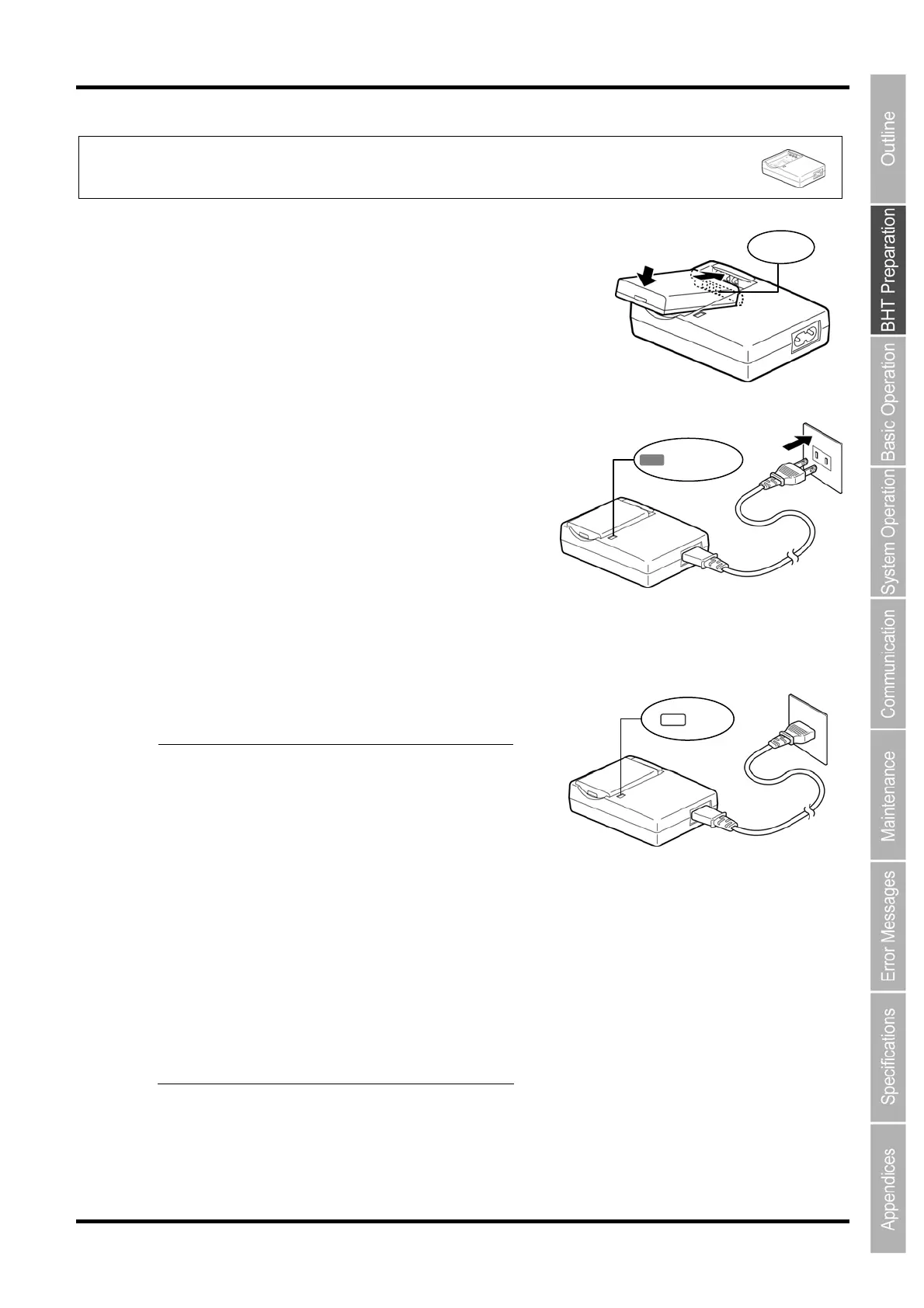
Charging with the battery charger (CH-201A and CH-704)
1. Check the battery cartridge terminals and insert the cartridge.
Terminal
2. Connect the power cable to the CH-201A and
connect the plug to a commercial AC power source
(230 V AC).
Red LED ON
3. The LED will turn OFF when charging is complete.
Point The charge time is approximately 3
hours.
An only slightly discharged battery
cartridge should take this time to
become fully charged.
Take proper steps if the LED is blinking
in red.
a. Detecting the abnormal temperature
of the battery cartridge.
Charge at the right temperature(0 to 40
degree). Avoid the direct sunlight o
something hot.
Stop the charging if under the prope
environment.
b. Bad electrical contact.
Wipe any dirt from battery cartridge
terminals with refer to “Chapter 6.3
Daily Maintenance”.
c. Failure or life of battery cartridge.
Replace the new battery cartridge.
The LED illuminates in red and charging
begins.
OFF



 To Next Page