71
2D Code Handy Terminal
Use the following procedure if necessary to change the communication environment settings.
1. Select “5: COMMUNICATION” at the SET SYSTEM menu and then press
the ENT key.
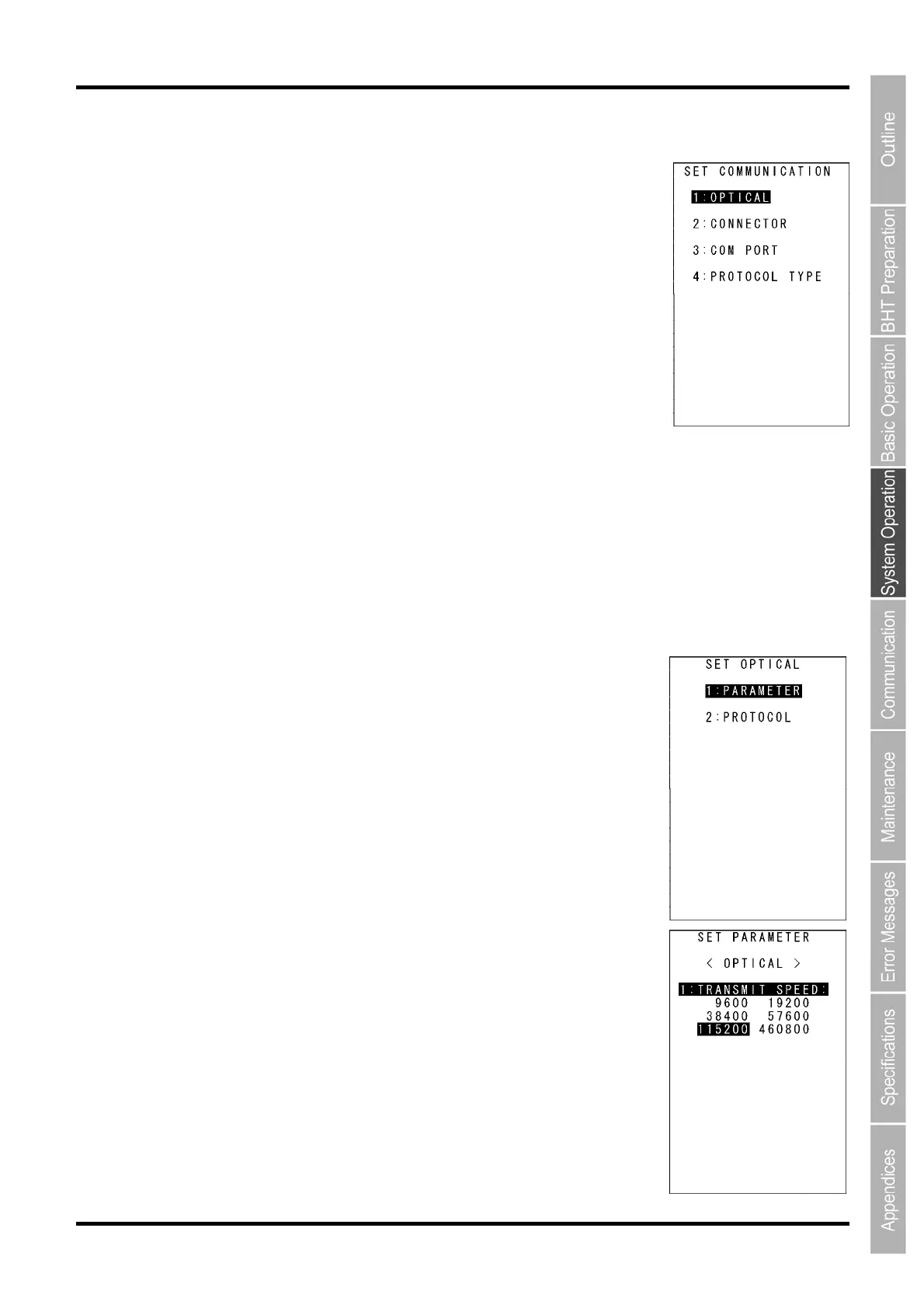
The SET COMMUNICATION menu screen displays as shown on the right.
2. Use the cursor keys ([▲] [▼]) or numerical keys ([1] [2] [3] [4]) to highlight
the item to be set and press the ENT key.
“1: OPTICAL”:
Changes the infrared communication parameters.
“2: CONNECTOR”:
Changes the connector communication parameters.
“3: COM PORT”:
Changes the communication port setting.
“4: PROTOCOL TYPE”:
Change the communication protocol type setting
Refer to the following section for details of the above items.
Press the C key to return to the SET SYSTEM menu.
“1: OPTICAL”:infrared communication parameters
1. Select “1: OPTICAL” at the SET COMMUNICATION menu and then press
the ENT key.
The SET OPTICAL menu screen displays as shown on the right.
2. Use the cursor keys ([▲] [▼]) or numerical keys ([1] [2]) to highlight “1:
PARAMETER” or “2: PROTOCOL”, and then press the ENT key.
Press the C key to return to the SET SYSTEM menu.
“1: PARAMETER”: setting the communication parameters
Select “1: PARAMETER” to display the screen shown on the right.
The highlighted settings will be the current settings.
“1: TRANSMIT SPEED”: Setting the transmission speed
To change the setting, highlight the transmission speed with the cursor
keys ([◄] [►]) and press the ENT key.
Press the C key to return to the SET OPTICAL menu.



 To Next Page