Entering AutoPoll Tasks
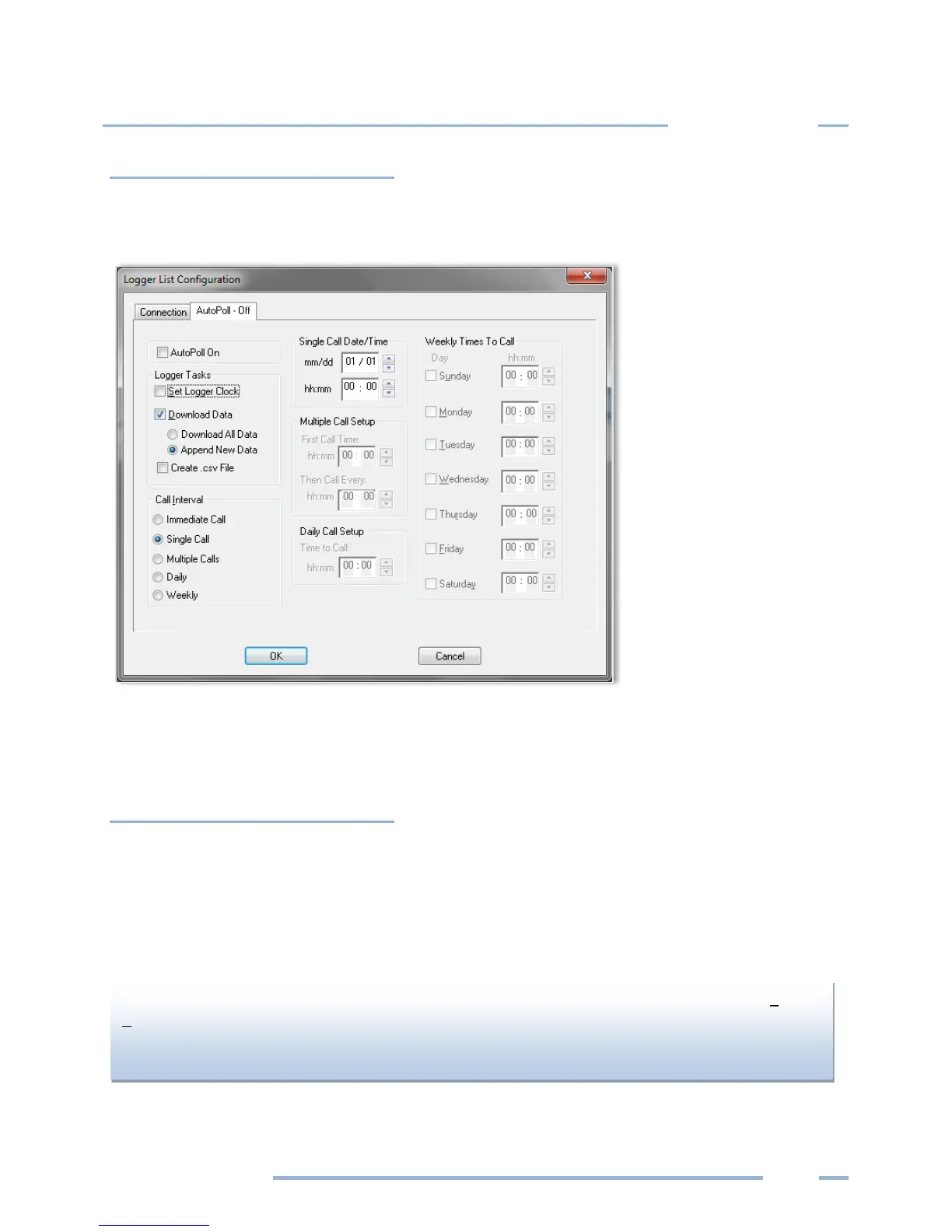
A Call Schedule must also be defined for each logger in the list which is done by clicking on the AutoPoll
tab which brings up the following default call scheduler:
The default call schedule shown above is a Single Call on January 1st at 00:00 (Midnight). Because the
Append New Data button is selected, when the PC calls the logger only the “new” data in the logger
stored since the last data download will be retrieved.
Logger Tasks
Set Logger Clock—If the Set Logger Clock box is checked then, after the PC calls the logger and the data
download is complete, the PC will set the logger clock to the PC time.
Download Data—Data retrieval may be one of two options: Download All Data or Append New Data.
Append New Data is used for on-going metering projects and only data collected and stored in the
logger since the last download is retrieved. The new data is appended to the existing data file.
PC Setup for that logger. If the data file has been moved or this is the first time the logger has been
read and Append New Data is selected, then AutoPoll will download the entire memory of the



 To Next Page