DENT Instruments
ELITEpro
DATA LOGGING CONTROLS
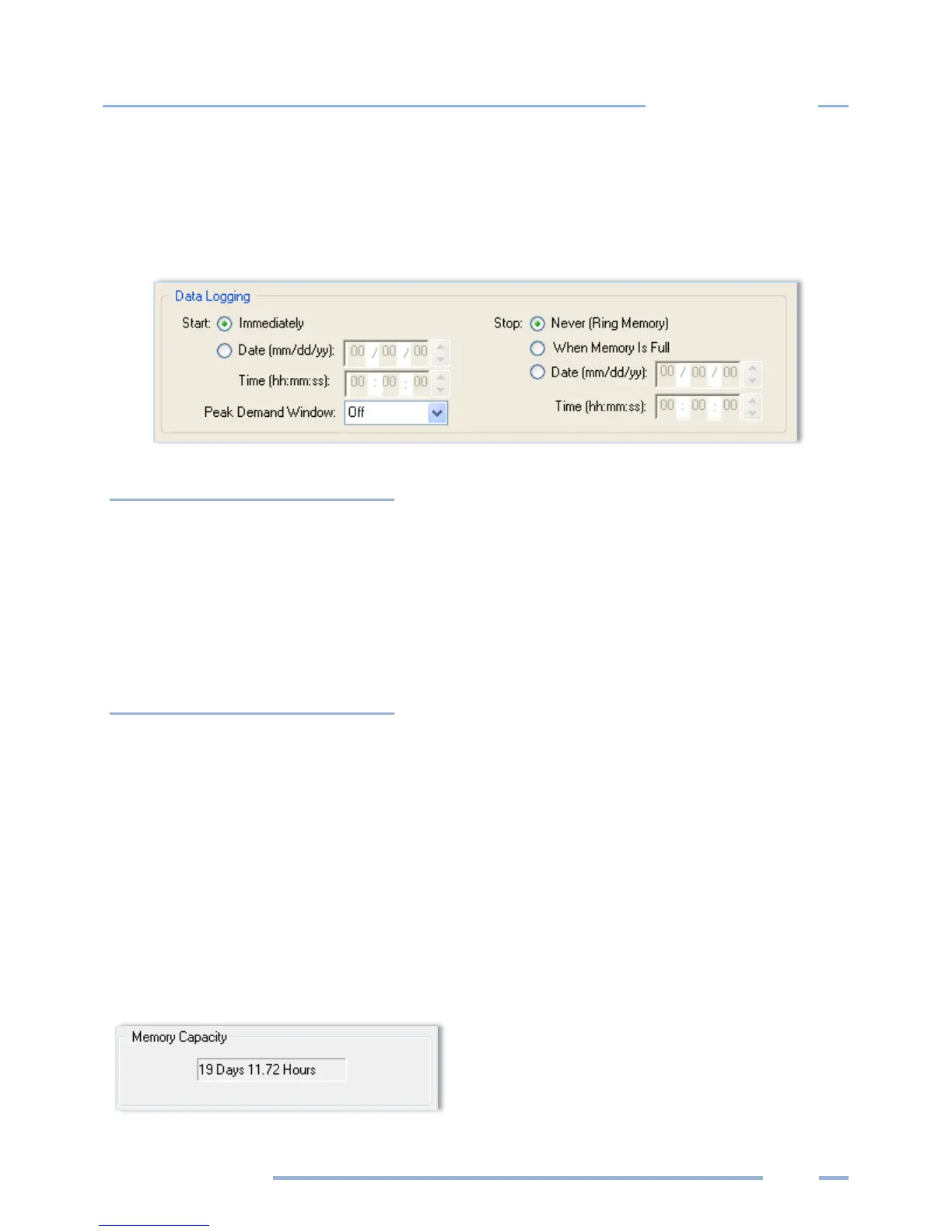
The Data Logging section controls when the logger starts and stops collecting data. The default values
are Start Immediately and Stop Never (Ring Memory). Additional data logging options are defined
below.
Logging starts as soon as the setup table is sent to the logger.
Date (mm/dd/yy)
Time (hh:mm:ss)
Logging starts at the designated date and time.
Time should be set in a 24-hour format, e.g., 2:30PM should be entered as
14:30.
The default is 15 Minutes. Choices are Off, 1, 2, 3, 4, 5, 6, 10, 12, 15, 20, 30, and
60 minutes.
Logging is continuous, meaning when memory fills, the oldest records are
replaced with the newest records, allowing for long term metering projects.
Logging stops when the memory is full.
Date (mm/dd/yy)
Time (hh:mm:ss)
Logging stops at the designated date and time.
Time should be set in a 24 hour format, e.g., 2:30 pm should be entered as
14:30.
MEMORY CAPACITY
ELOG provides a convenient feature that calculates the approximate length of time required to fill the
memory for any setup table. The feature is dynamic so that any time any parameter in a setup table
affecting the memory duration is changed, the Memory Capacity field is updated, providing the (new)
length of time the logger’s memory will last. The ELITEpro XC has 16 MB internal non-volatile memory.



 To Next Page