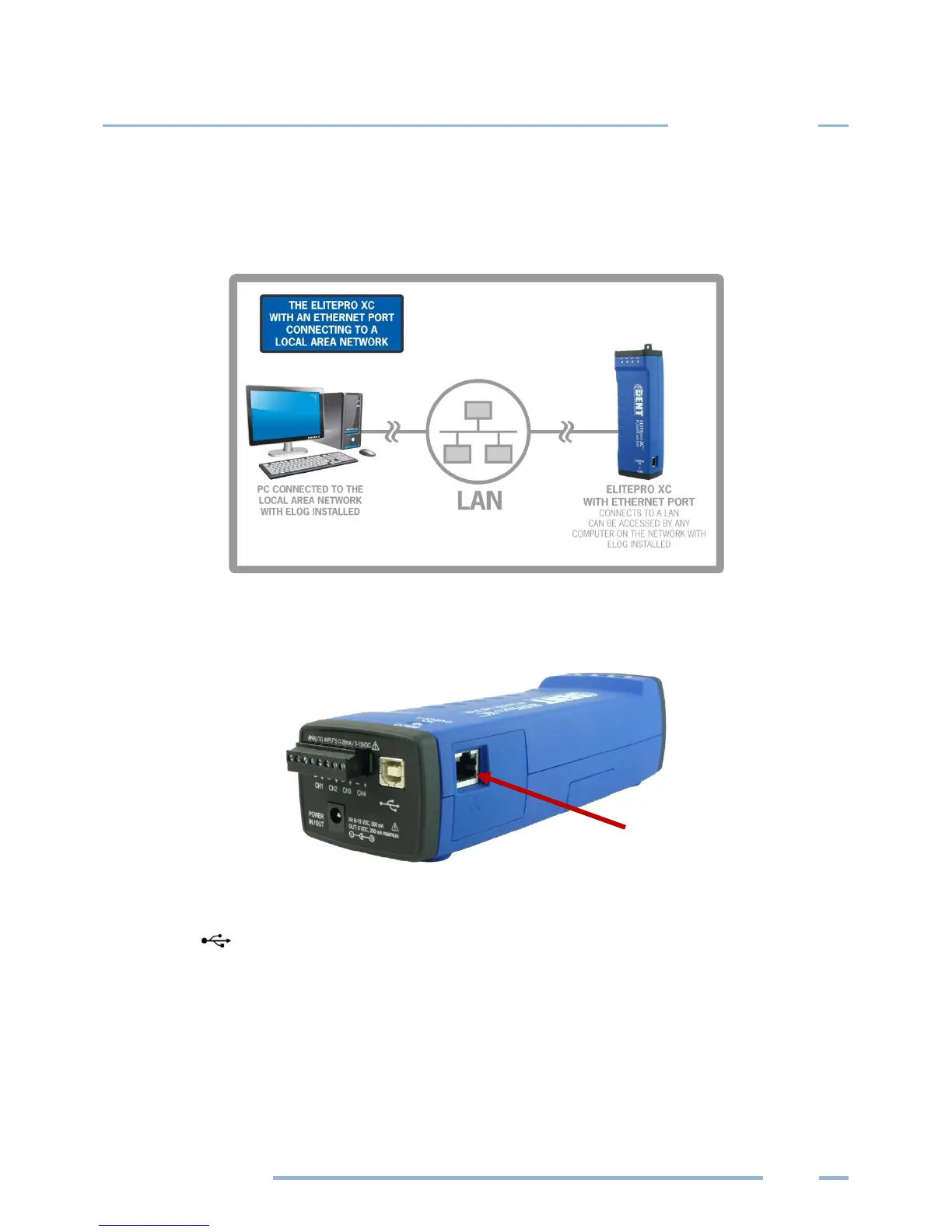
ETHERNET LAN (STANDARD)
The Ethernet option is also used for a direct connection where a network is available. Ethernet
connections must be configured initially via USB by users familiar with the network details, and may
require the assistance of a network administrator.
NOTE: Each ELITEpro XC connected to the network requires its own unique network IP Address. An
address will be provided automatically if the network allows DHCP (Dynamic Host Configuration
Protocol) and the ELITEpro XC is configured to request an address.
1) Configure the EXC for use on the network. First connect the USB cable to a USB port on your
computer, inserting the other end into the USB port on the ELITEpro XC. (Hint: Look for this USB
symbol: ) If a USB cable is used inside an electrical panel, it must be rated to the appropriate
voltage or wrapped in an appropriately rated insulating sleeve. The DENT-supplied cable does not
meet this requirement without an insulating sleeve.
2) ELOG 15 should launch automatically and connect to the logger. If it does not, click on the icon on
the computer desktop.



 To Next Page