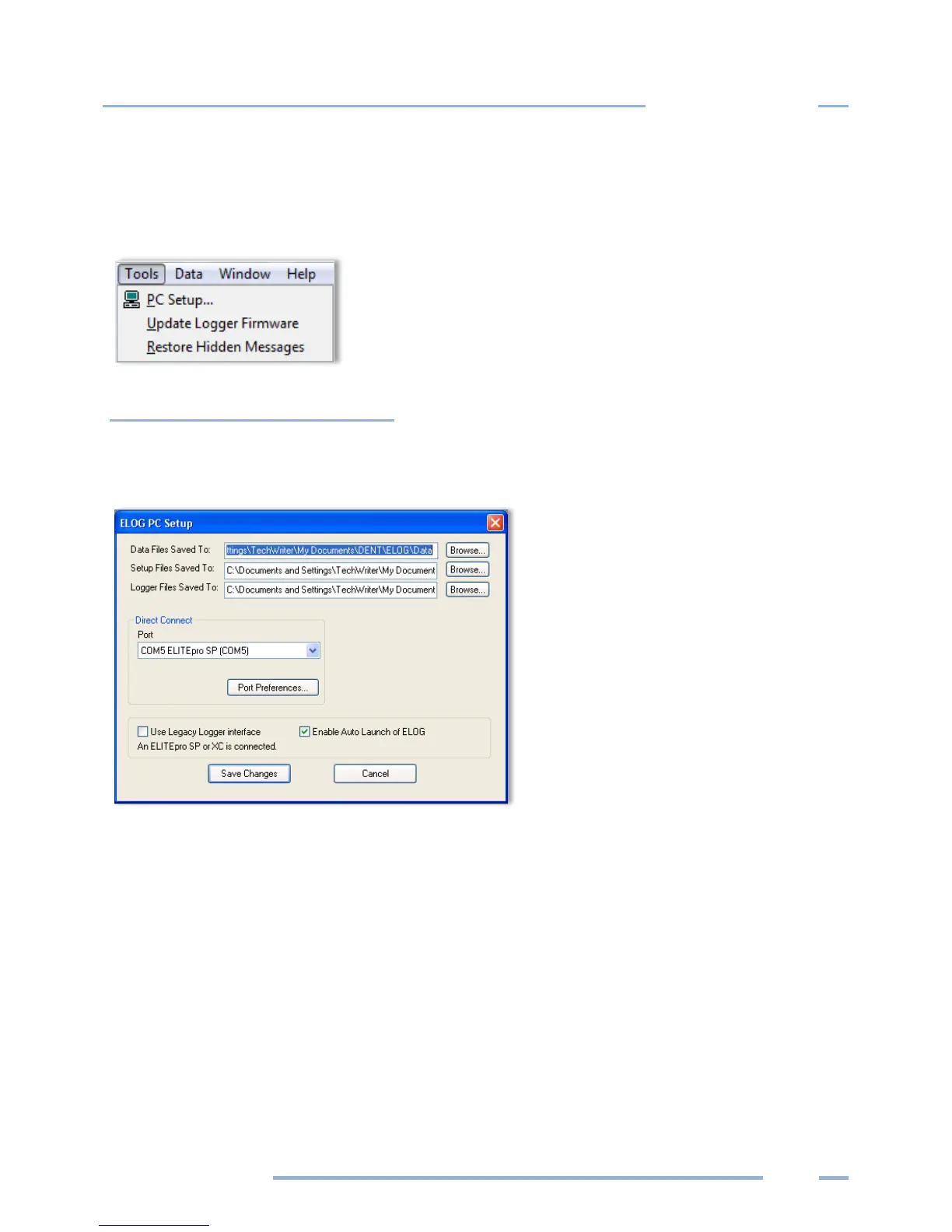
TOOLS MENU
The Tools Menu accesses the same PC Setup option available on the Communication sub-menu and also
includes options to install logger firmware or restore hidden messages.
PC Setup
Selecting Tools > PC Setup allows you to configure the computer connected to the ELITEpro XC. It is also
where you set the default file storage folders.
The Data Files Saved To: field displays the folder selected for storage. Click Browse to set the default
folder in which data files are saved. Data files are sent to the specified folder when retrieving data files
using the Logger > Retrieve Data option.
The Setup Files Saved To: sets the default folder in which Setup Tables are saved. ELOG will look in this
folder first when opening a Setup Table file.
The Logger Files Saved To: sets the default folder in which logger files are saved. ELOG looks in this
folder first for the Logger Lists to call when using the AutoPoll automatic data collection application.



 To Next Page