When using Access Point Mode the SSID is based on the logger serial number and the IP address is
192.168.1.1.
8) Open a Network Connection dialog on your PC. (You may need to click Refresh.) Select the access
point with the SSID (described above) and click Connect. Ensure that Windows connects to the
access point.
NOTE: The ELITEpro, while acting as an Access Point, allows multiple devices to connect (associate).
However, only one device at a time may be communicating with the meter (using ELOG, the mobile
app, or the web browser). As well, these devices will NOT be networked together as they would if
connected to a standard Wi-Fi access point—the ELITEpro provides no routing functions.
ELITEpro XC Connected to a
Wireless Network
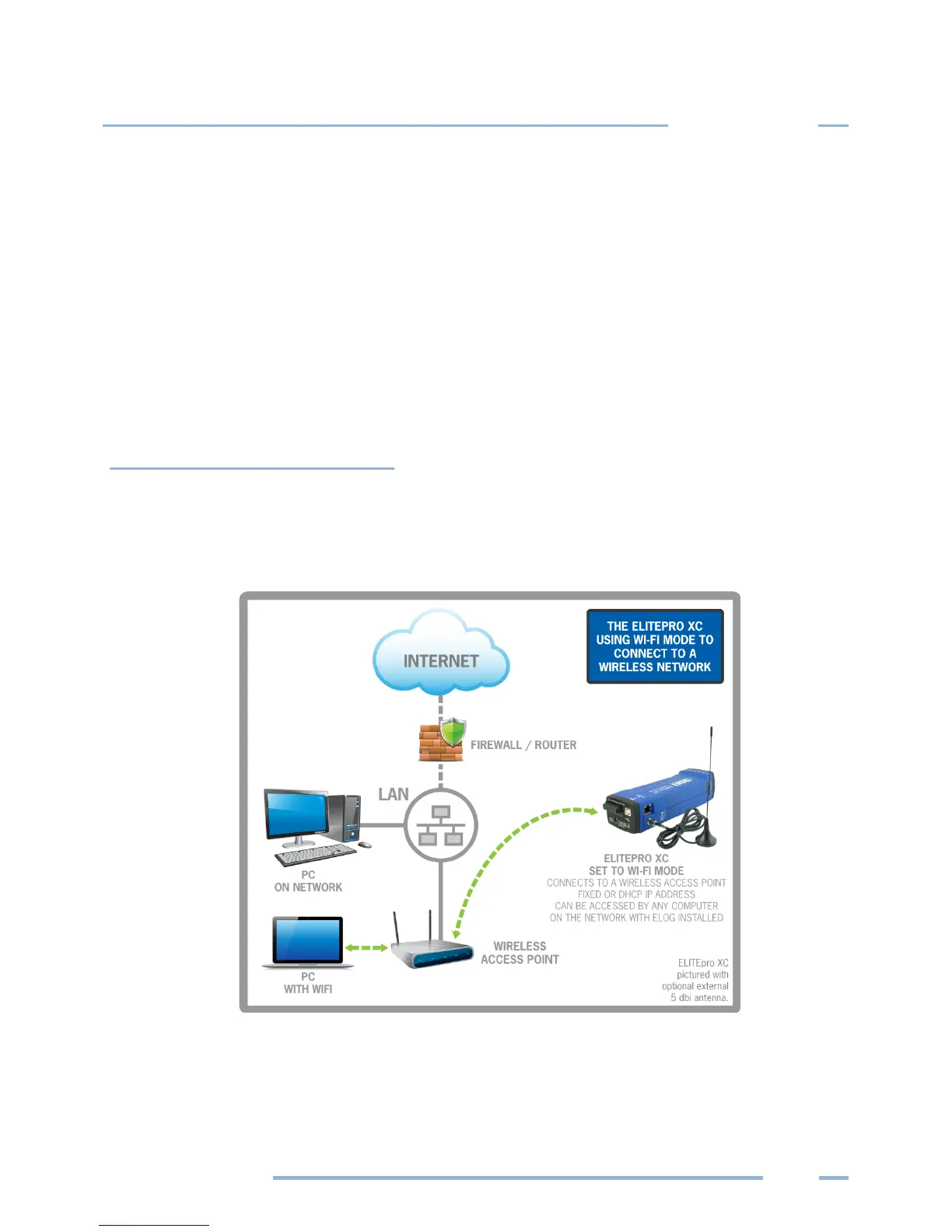
An ELITEpro XC with a Wi-Fi module may also be connected to a local area network (LAN) through a
wireless access point or wireless router. To set up the logger it must first be configured via a USB
connection to a PC running ELOG and may require assistance from someone familiar with the network
you want to connect to. Below is a diagram of this communication method:



 To Next Page