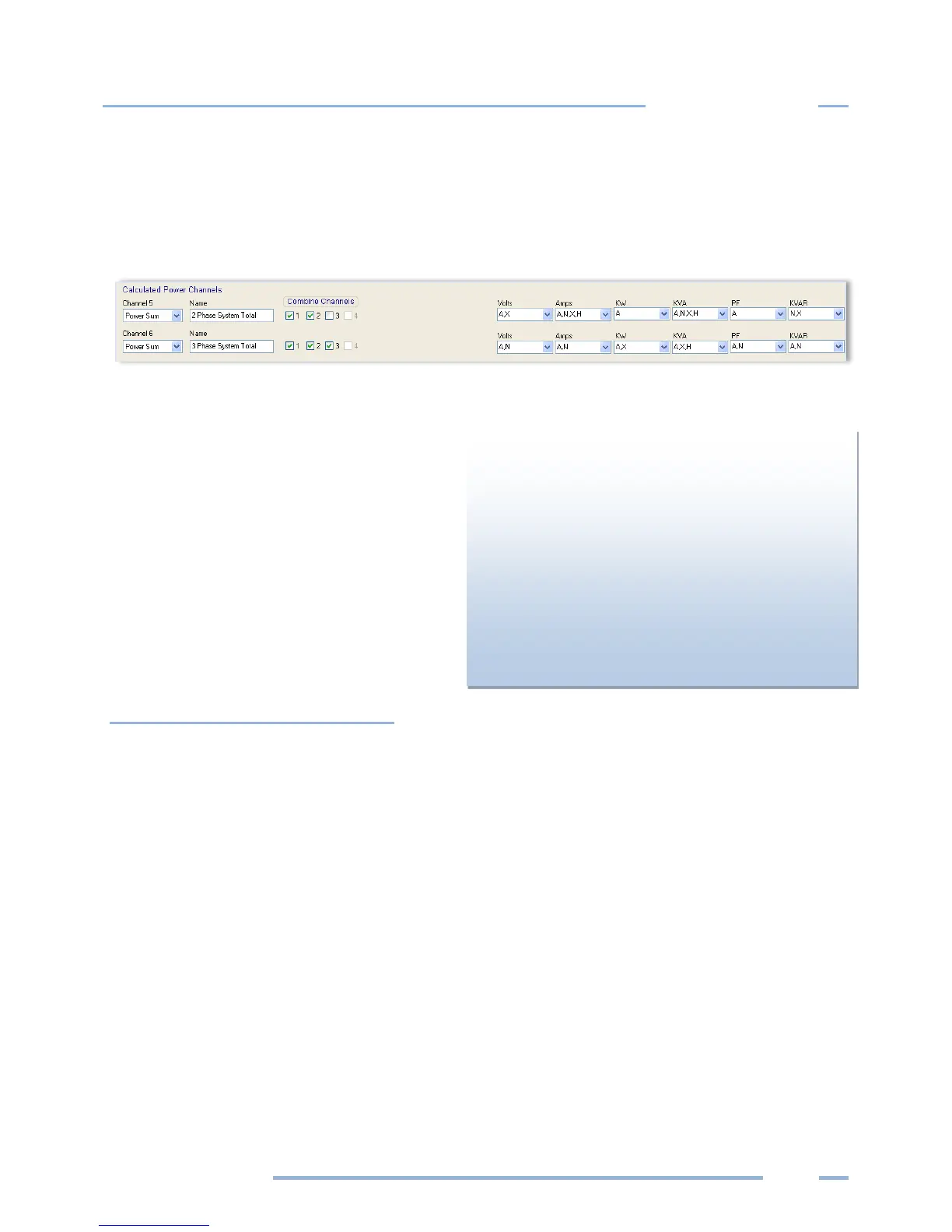
CALCULATED POWER CHANNELS
Channels 5 and 6 are the Calculated Power Channels. They combine the data from two or more power
channels (also called "hardware” or “physical channels") and are used primarily for calculating total
system volts, amps, kW, kVA, power factor, and kVAR in polyphase or multiple single phase systems.
The Calculated Power Channels are frequently used to:
Record total system power parameters on
three phase loads.
Optimize the logger’s memory by collecting
and combining data from two or more
channels instead of collecting data from two
(or more) separate channels.
For a description of the formulas used to
compute channels 5 & 6 based on the CT input
channels 1–4, see Appendix E—Calculated
Power Channel Formulas.
Combining Channels
To combine channels and maximize memory use:
1) Depending on your setup table configuration, ensure that the Physical Power Channels you wish to
combine are set to Power.
It is recommended that the Recorded Values flags of Volts, Amps, kW, kVA, PF, and kVAR for the
individual channels be left on. However, if maximum use of the memory is required they can be
turned off.
Default recording flags may have the Average checkbox selected in each drop-down menu for the
Recorded Values.
2) Under Calculated Power Channels, turn on the channel by selecting Power Sum from the Channel 5
menu. Perform the same function for Channel 6, if desired.
3) Enter a name for the Calculated Power Channels (optional).
4) Select the Physical Power Channels to be added together in the Combine Channels box.
Channels displays:
None—If only one power channel is turned on in a
Setup Table, then channels 5 and 6 do not appear.
Channel 5—If two power channels are turned on,
then only channel 5 appears.
Channels 5 and 6—If three or four power channels
are turned on, then channels 5 and 6 appear.



 To Next Page