For example, a potential transformer is used to monitor a 4160 VAC load. The transformer steps the
voltage down from 4160 to 120 VAC. The PT equals the transformer ratio or 4160/120 = 34.667. Thus,
34.667 would be used for the PT value in the channel Setup Table.
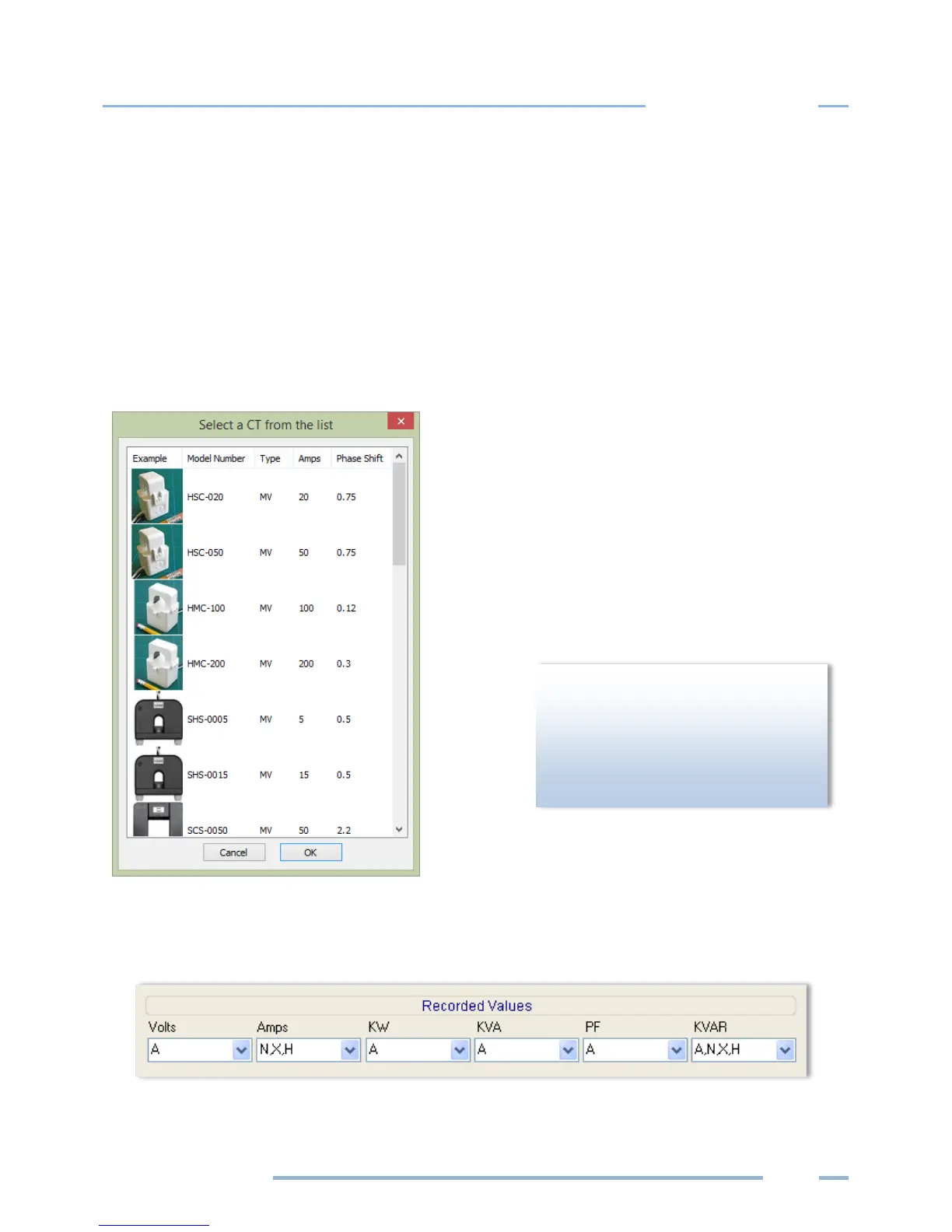
The drop-down list in the Type field of the Current Transformers section contains a View All option that
opens the Select a CT from the list window displaying images of CTs with their recommended amps and
phase shift. Selecting a CT from that window automatically populates the Amps and Phase Shift fields
with the CT’s recommended values.
Double-click on any image.
-or-
Select an image and click OK.
The Recorded Values of a power channel tell the logger what parameters you wish to record and can be
configured by selecting any combination of Volts, Amps, power (kW), volt-amps (kVA), power factor
(PF), and volt-amps-reactive (kVAR) as desired for each channel you turned on.
Transformer) is not used on service
voltages greater than 600V, the
ELITEpro XC may overheat (or worse)
causing irreparable damage and



 To Next Page