TC500 Ethernet Cabling Certifier Operation Manual
17
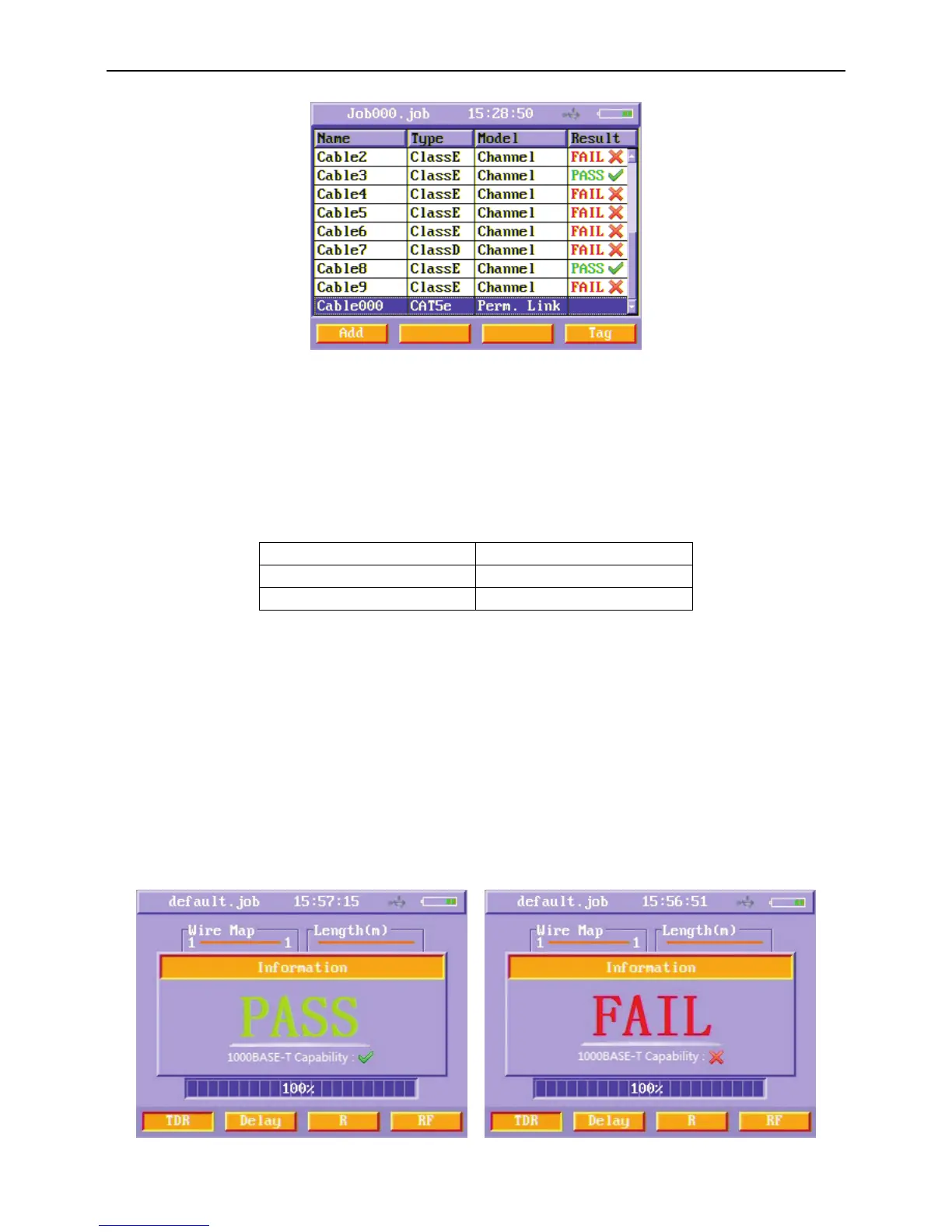
Figure20 Add a new cable
Name: The Cable ID that will be tested. Users can edit it using alphanumeric keypad.
Type: The Cable type that will be tested. These types include CAT3 (UTP/STP),CAT5e (UTP/STP) ,CAT6 (UTP/STP) ,Class C
(UTP/STP), Class D (UTP/STP), Class E (UTP/STP), RG-58 (coax) ,RG-59 (coax), RG-6 (coax) , TEL (telephone line) and Banana.
The test standard and its according cable type of UTP/STP is shown in Table 1.
Table 1 Cable Type and according Standard
Test Standard Cable Type of UTP/STP
TIA/EIA-568-B Cat 3, Cat 5e, Cat 6
ISO/IEC 11801 Class C, Class D, Class E
Model: Users can choose two transmission paths: channel and permanent link. When the model is chosen, the according test
limit is used to this cabling.
Result: show test result, pass or fail.
After setting the cable name, type and model, press TEST key on the key pad to run an auto test.
After pressing TEST key on the key pad, the Auto Test menu appears. The scroll bar on the bottom of Auto Test menu grows with the
process of auto test. When the scroll bar shows 100%, auto test completed and a PASS/FAIL result appears for one second. Users can
observe the result of Wire map and length in TDR menu; propagation delay and delay skew in Delay menu; d. c. loop resistance in
the R menu and all RF test items in RF menu.
After auto test is done, the detailed results of this cable are saved automatically in the current job folder.
Figure21 PASS/FAIL information



 To Next Page