TC500 Ethernet Cabling Certifier Operation Manual
23
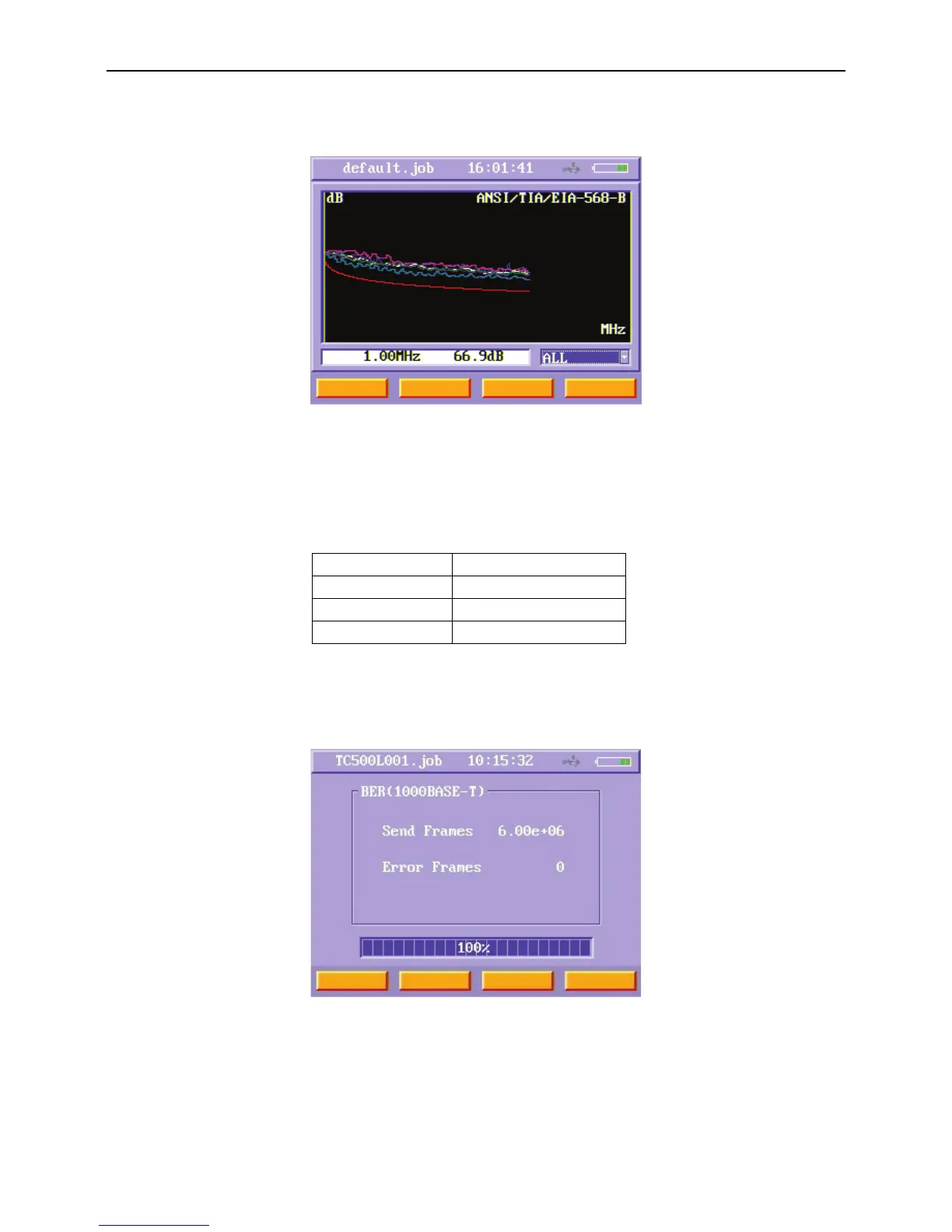
Users can use arrow keys to choose a RF item and press enter key to do that RF item’s testing. Figure 36 shows a NEXT test menu.
You can check the NEXT value of different frequencies just move the cursor using left and right arrow keys.
Figure36 Data cable NEXT manual test result menu
BER Test
BER
test is only for DATA cable (UTP/STP). BER test can test on MAC layer of 10base-T, 100BASE-TX or 1000BASE-T according to
IEEE802.3. The speed you want to test according to the test limit you choose.
Table 4 BER test speed and Test Limit
Test Limit PHY Speed
Cat3/Class C 10BASE-T 10Mbps
Cat5e/Class D 100BASE-TX 100Mbps
Cat6/Class E 1000BASE-T 1000Mbps
In order to run the BER
test, turn on main unit and remote unit, then connect main unit to near end of the UTP/STP and connect
remote unit to far end of the UTP/STP In Data cable manual test menu, after choose a Test Limit select the BER function button and
press enter key to enter the BER test menu.
Figure37 Data cable BER test menu
Then main unit and remote unit start testing BER. In the BER test menu, “Send frames” item indicates the number of frames has
been sent. “Error frames” item indicates the number of error frames has been received. When the BER test finishes, the progress
bar displays 100%.



 To Next Page