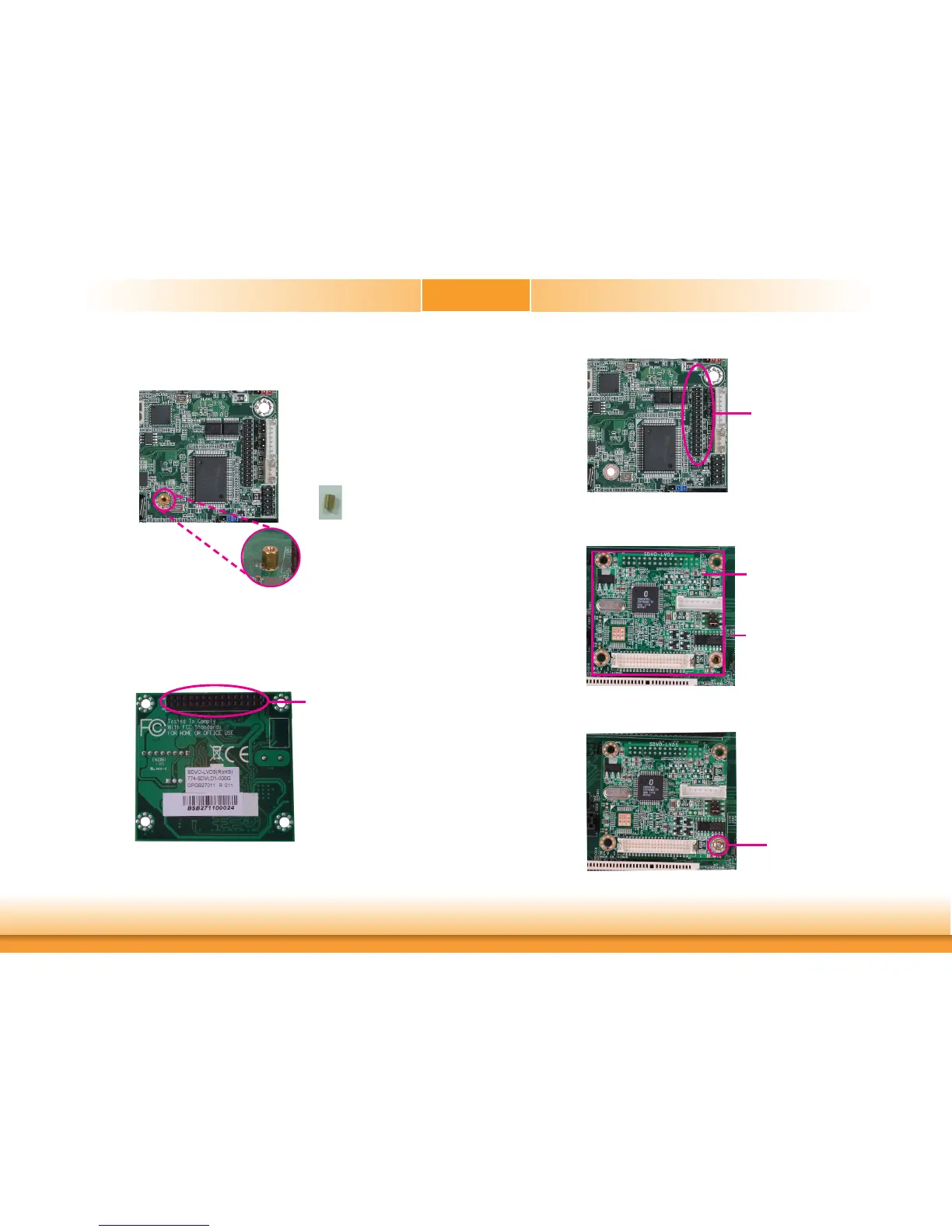
3. Whilesupportingthemountingscrewatthebottom,fromthetopsideoftheboard,fasten
aboltintothescrew.
Bolt
4. TheSDVOconnectorislocatedatthebottomofthedaughterboard.Graspingthedaugh-
terboardbyitsedges,positionitontopofthemotherboard’sSDVOconnectorwithits
mountingholesalignedwiththeboltonthemotherboard.ThiswillalsoaligntheSDVO
connectorofthetwoboardstoeachother.
SDVOconnectoratthebottomside
ofthedaughterboard
SDVOconnectoronthe
motherboard
5. PressthedaughterboarddownfirmlyuntilitiscompletelyseatedontheSDVOconnector
ofthemotherboard.
Motherboard
Daughterboard
6. Usetheprovidedmountingscrewtosecurethedaughterboardtothemotherboard.
Mountingscrew


 To Next Page