SM-200 TE Grinding and Honing Machine 33
Setting up the Machine
8
8. Setting up the Machine
8.1 Switching on the grinding and honing machine
Do not switch on the SM-200 TE grinding and honing machine until
all preparations, modifications and adjustments for the current task
have been completed.
• Check that the abrasives are free of objects.
• Check that the machine is connected to the mains supply.
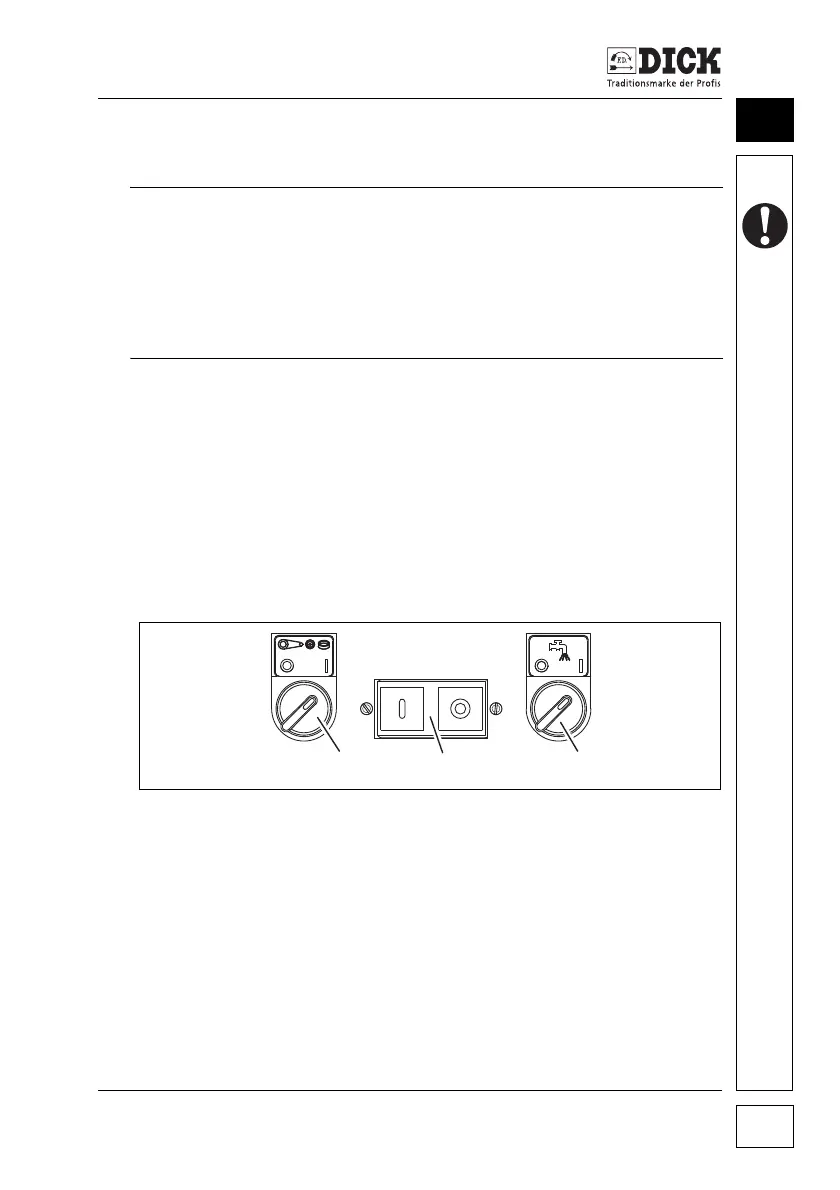
Switch the SM-200 TE grinding and honing machine on/off on the
control panel.
Switching on the machine:
1 Press the I (ON) button on the main On/Off switch.
2 Set the On/Off switch for the abrasives to position I (ON).
The abrasives start up.
Follow the safety instructions
Working with the SM-200 TE grinding and honing machine poses
a considerable safety risk. The risk of injury comes from the moving
parts and the knives to be ground.
• Follow the general safety instructions! See chapter 5. Safety,
page 11.
Figure 8.1 – Control panel
[1] Main On/Off switch on the SM-200 TE
[2] On/Off switch for the abrasives
[3] On/Off switch for the cooling water



 To Next Page