Chapter 1: Introduction to D-Control 3
Chapter 1: Introduction to D-Control
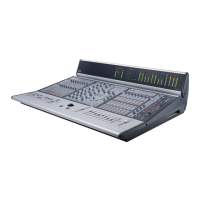
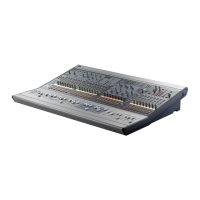
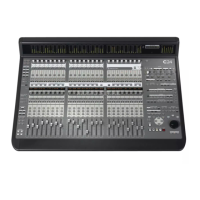
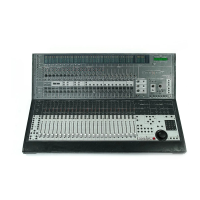
Welcome to the D-Control™ worksurface for Digidesign
®
ICON systems.
D-Control provides hands-on control of every feature in
Pro Tools, and offers powerful options for customizing the
Pro Tools mix environment.
D-Control Features
D-Control provides a full set of controls for all Pro Tools re-
cording, editing and mixing tasks, and a versatile remote-con-
trolled audio monitoring system.
Control Features
• Touch-sensitive, motorized Penny and Giles faders
• Touch-sensitive, multi-purpose rotary controls
• Dedicated controls for assignment and activation of inputs,
outputs, inserts and sends
• Flexible display of pan, insert, send, plug-in and mic pre
controls
• Dedicated EQ and dynamics plug-in control sections
• Dedicated controls for all channel strip functions including
recording and input monitoring modes, mute, solo, and
channel select
• Dedicated controls for automation mode, enable and safe
status
• Flip Mode for transfer of parameters from rotary controls to
faders
• Custom Fader Mode for flexible channel and parameter
mapping
• Full transport and navigation controls, including location
commands and scrub/shuttle capability
Monitoring Features
• 8-channel control room monitoring system supports mono
through 7.1 surround monitoring, with up to 6 possible in-
put sources and 3 selectable output paths
• 2-channel cue system with 5 separate outputs and selectable
talkback feed
• Built-in talkback microphone and external talkback mic In-
put
• Standalone mode for monitoring without Pro Tools
D-Control System Components
The following components are included in a D-Control
16-channel or 32-channel system:
Main Unit
• D-Control Main Unit
•AC power cord
•Ethernet cable
•USB cable
• Windows keyboard caps set
• Ethernet loopback plug (for Ethernet testing)
Fader Module
(1 for 16-Channel System, 2 for 32-Channel System)
• D-Control Fader Module unit
•AC power cord
•Ethernet cable
XMON Monitoring System
•XMON Interface
•AC power cord
•XMON cable
D-Control Stand
• Left and right leg assemblies
• Rear crossbar assembly
• Rear pan support rail
• Front pan support rail
• Left and right plastic side caps
•Leg front caps
•Leg rear caps
• Stand hardware
• Video display arm assembly and hardware


 To Next Page