Mbox 2 Mini Setup Guide
54
Connecting Audio Inputs
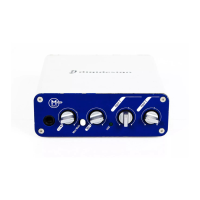
Mbox 2 Mini inputs (sources) support microphones, guitars, keyboards, and other types of in-
struments. Mbox 2 Mini has two audio input sections, labeled Input 1 and Input 2. For stereo
inputs, use Input 1 for the left input, and Input 2 for the right input.
For information about connecting specific audio sources, see “Connecting a Microphone to
the Mbox 2 Mini” on page 55, and “Connecting Instruments to the Mbox 2 Mini” on
page 57.
Overview of Analog Inputs
Mbox 2 Mini provides a total of two channels of analog input on the back panel. These are la-
belled Inputs 1 and 2.
Input 1
Input 1 provides Mic and Line/DI input connectors. Inputs are selectable with the back panel
Mic/DI switch.
These inputs appear as Analog In (1) in Pro Tools.
XLR For XLR microphone cables.
Line/DI For 1/4-inch TRS (Tip-Ring-Sleeve) or TS (Tip-Sleeve) cables from guitars, micro-
phones, keyboards, mixers, or similar sources.
Input 2
Input 2 provides a Line/DI input connector. Inputs are selectable with the back panel Mic/DI
switch. This input appears as Analog In (2) in Pro Tools.
Line/DI For 1/4-inch TRS (Tip-Ring-Sleeve) or TS (Tip-Sleeve) cables from guitars, micro-
phones, keyboards, mixers, or similar sources.


 To Next Page