Chapter 6: Making Hardware Connections 57
Connecting Instruments to the Mbox 2 Mini
Mbox 2 Mini provides Line/DI inputs that support direct instruments (such as electric guitar
and electric bass), and line level devices (including electronic audio sources such as mixers,
samplers, keyboards, turntables, and synthesizers).
To use a guitar with Mbox 2 Mini:
1 On the back of the Mbox 2 Mini, plug your guitar cable into one of the Line/DI inputs.
2 If you are using Input 1, set the Mic/DI switch on the back panel to DI, by pressing the
DI switch in.
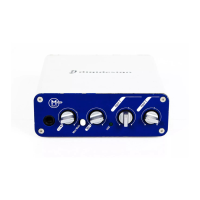
3 On the front of the Mbox 2 Mini, turn the Mix control fully left to Input.
4 On the front of the Mbox 2 Mini, carefully turn the input’s Gain control to the right to in-
crease the input level of your guitar.
5 If the incoming signal is too loud, press the input’s Pad switch on the back panel to engage
the 20 dB pad.
To use a keyboard or mixer with Mbox 2 Mini:
1 Plug your keyboard, mixer, or other audio source into either the Input 1 or Input 2 Line/DI
(TRS) inputs on your Mbox 2 Mini. If your source is stereo (such as a stereo keyboard or the
stereo output from a mixer), connect the left channel (often the white plug) to Input 1, and
right channel (often the red plug) to Input 2.
2 If you are using Input 1, set the Mic/DI switch on the back panel to DI, by pressing the
switch so that it is pressed in.
3 On the front of the Mbox 2 Mini, turn the Mix control fully left to Input.
4 Set your instrument’s volume to its optimal level. For example, the optimal level for most
keyboards is between 80% and 100% of maximum volume.
5 On the front of the Mbox 2 Mini, carefully turn the input’s Gain control to the right to in-
crease the input level of your keyboard.
6 If the incoming signal is too loud, press the input’s Pad switch on the back panel to engage
the 20 dB pad.


 To Next Page