EasyManua.ls Logo

Digisol DG-BG4100NU - Ip;Port Filter

Digisol DG-BG4100NU
132 pages
Print Icon
To Next Page IconTo Next Page
To Previous Page IconTo Previous Page
Loading...
DG-BG4100NU User Manual
102
IP/Port Filter
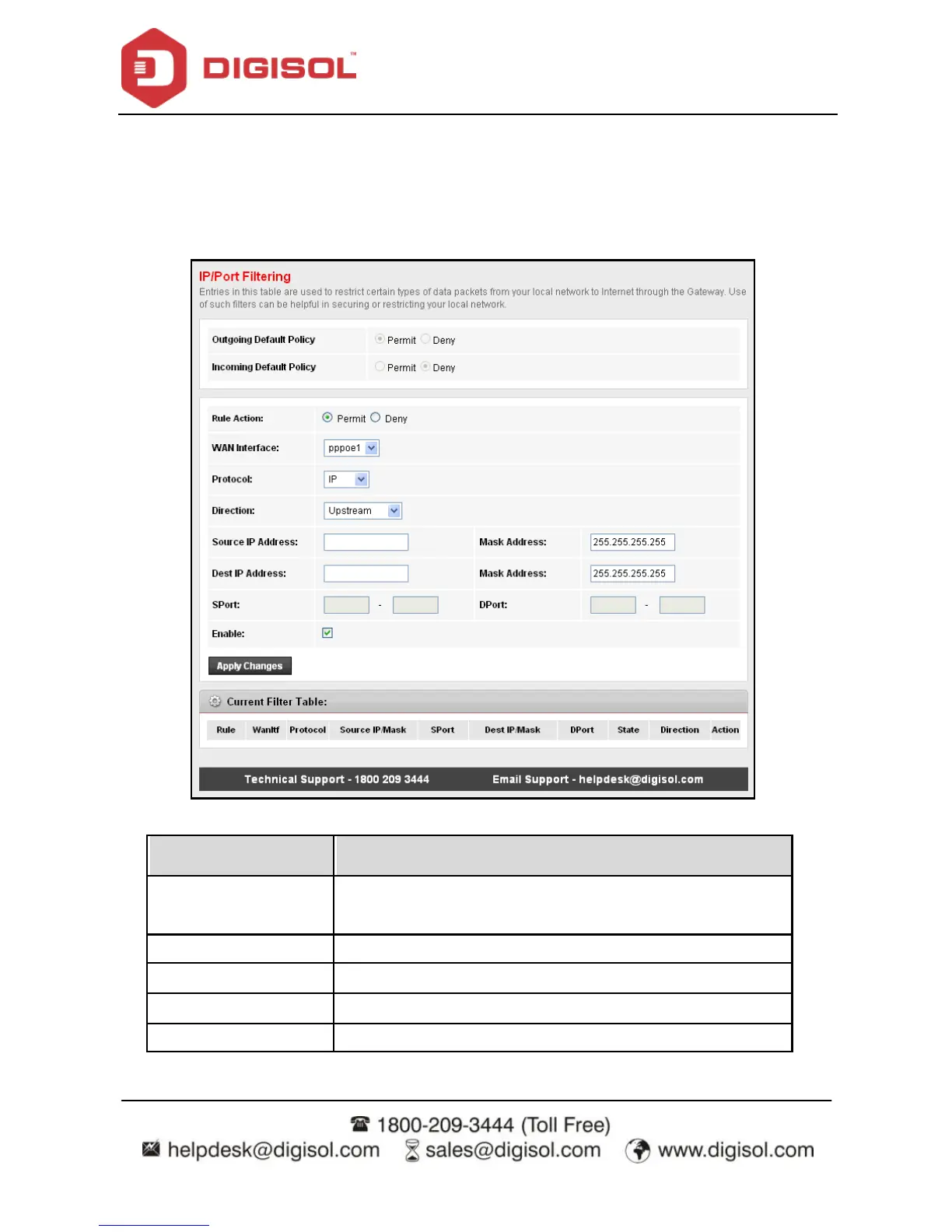
Click IP/Port Filter in the lef t pane, and the page shown in the f ollowing figure appears.
Entries in the table are used to restrict certain types of data packets through the gateway.
These f ilters are helpf ul in securing or restricting y our local network.
b)
Field
Description
Rule Action
Select Permit to Allow packet route and select Deny to stop
the packet.
Protocol
Select the Protocol type for a rule.
Direction
Select Upstream or Downstream direction.
Source IP Address
Ty pe the IPv4 address of source device or host.
Destination IP
Ty pe the IPv4 address of destination dev ice or host.

Related product manuals