EasyManua.ls Logo

Digisol DG-BG4100NU - Traceroute

Digisol DG-BG4100NU
132 pages
Print Icon
To Next Page IconTo Next Page
To Previous Page IconTo Previous Page
Loading...
DG-BG4100NU User Manual
120
Traceroute
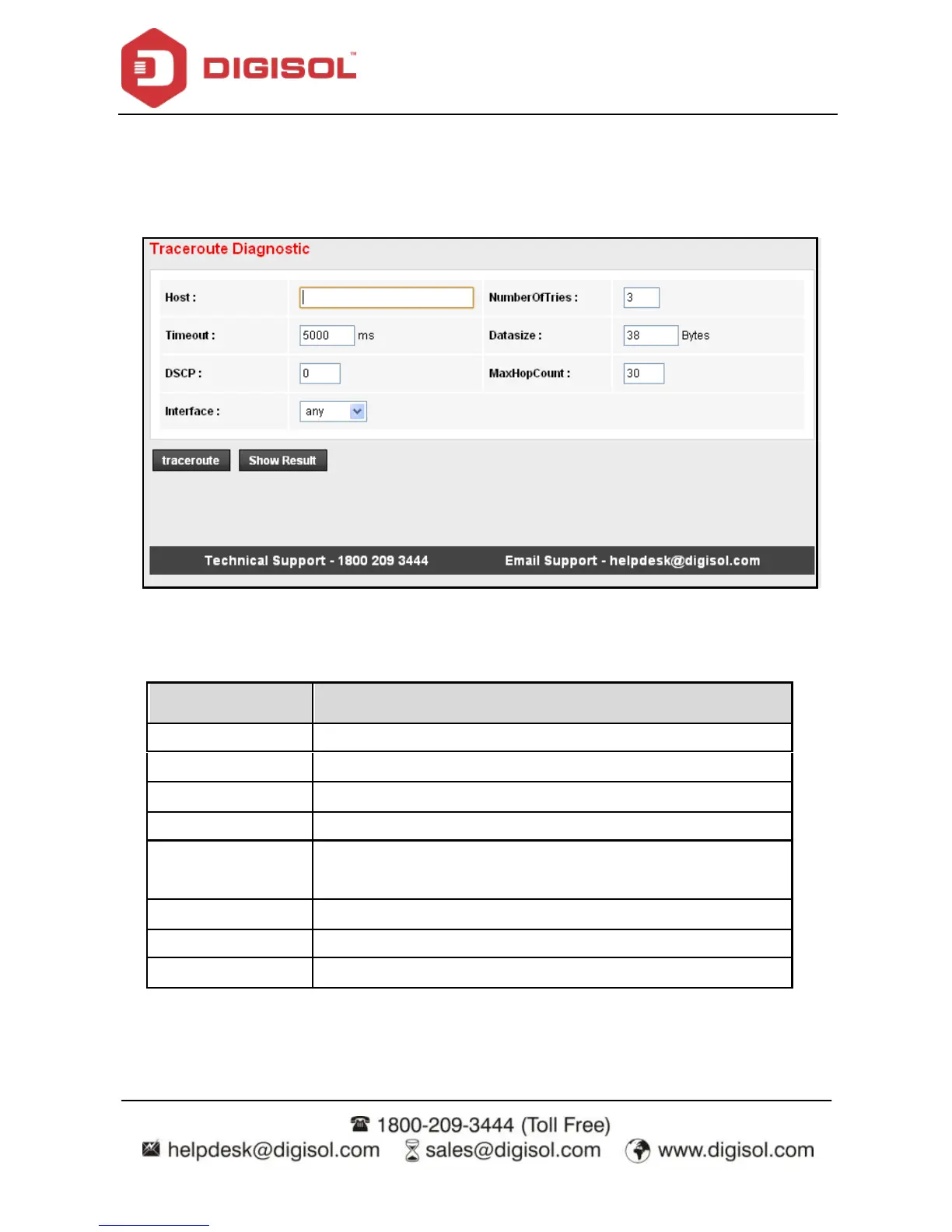
Click Traceroute in the lef t pane, and the f ollowing page appears. By Traceroute Diagnostic,
you can track the route path of inf ormation f low f rom your computer to the other side host.
The following table describes the parameters and buttons of this page.
Field
Description
Host
Enter the destination host address for diagnosis.
NumberOfTries
Number of repetitions.
Timeout
Put in the timeout v alue.
Datasize
Packet size.
DSCP
Diff erentiated Serv ices Code Point, y ou should set a value
between 0-63.
MaxHopCount
Maximum number of routes.
Interf ace
Select the interf ace.
Traceroute
Click traceroute.

Related product manuals