DG-BG4100NU User Manual
56
4.4.1.10 Wireless
Choose Setup > Wireless. The WLAN page that is display ed contains Basic, Security,
MBSSID, Access Control List, Advanced, WPS and WDS.
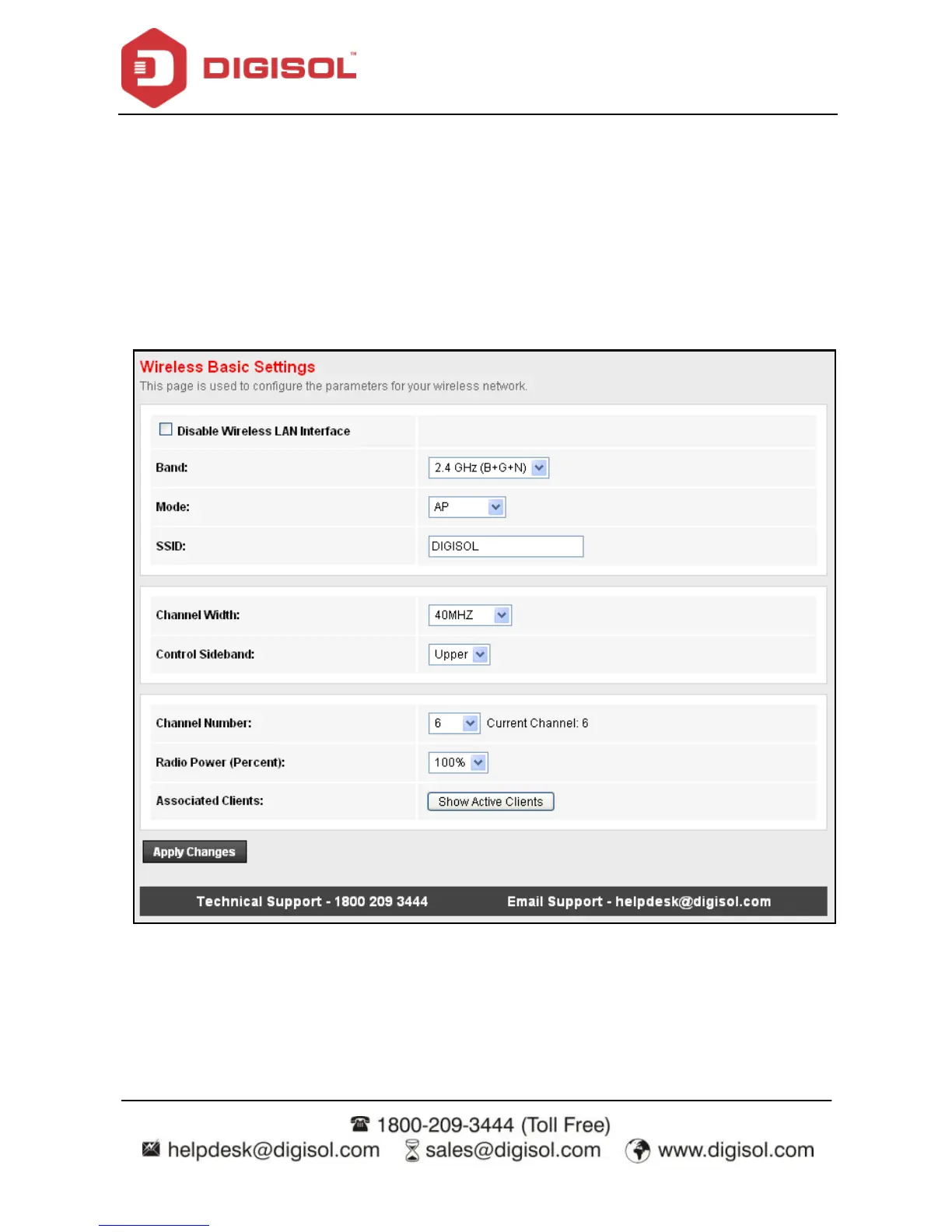
4.4.1.11 Basic
Choose Wireless > Basic and the f ollowing page appears. In this page, you can conf igure
the parameters for wireless LAN clients that may connect to the router.



 To Next Page