DG-BG4100NU User Manual
65
There are two way s for the wireless client to establish connection with the router through
WPS. Click Regenerate PIN to generate a new PIN. In the wireless client tool, enter the PIN
which is generated by the router, start connection. The client will automatically establish the
connection with the router through the encryption mode, and you need not enter the key. The
other way is the wireless client generates PIN. In the above figure, enter PIN of the wireless
client in the Client PIN Number field, then click Start PIN to establish the connection.
Note: The wireless client establishes the connection with the router through WPS
negotiation. The wireless client must support WPS.
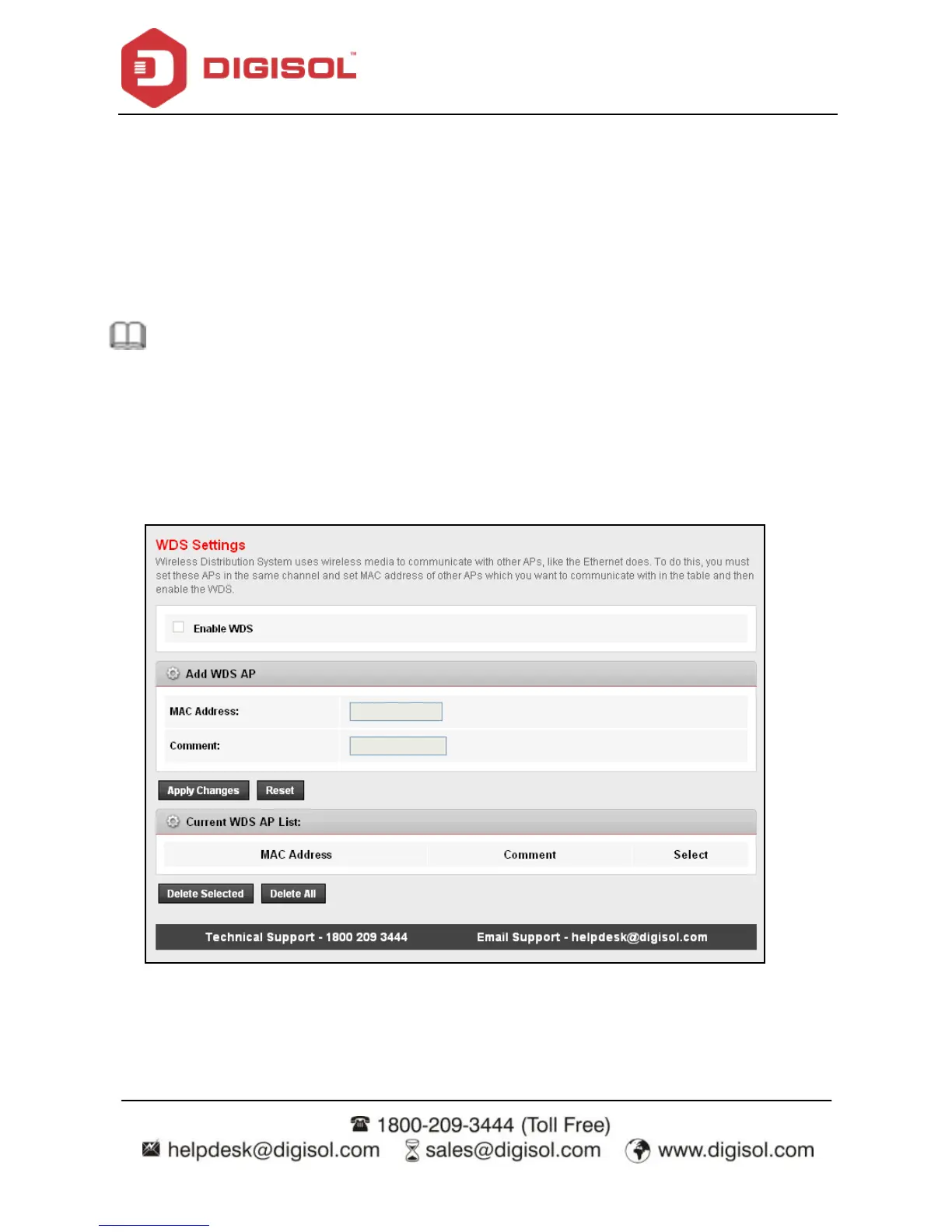
4.4.1.17 WDS
Choose WLAN > WDS, and the following page appears. In this page you can enable
wireless distribution system (WDS) so that the router can communicate with another AP.



 To Next Page