EasyManua.ls Logo

Digital Bolex D16 - Displays & Menus; Home Screen

Digital Bolex D16
44 pages
Print Icon
To Next Page IconTo Next Page
To Previous Page IconTo Previous Page
Loading...
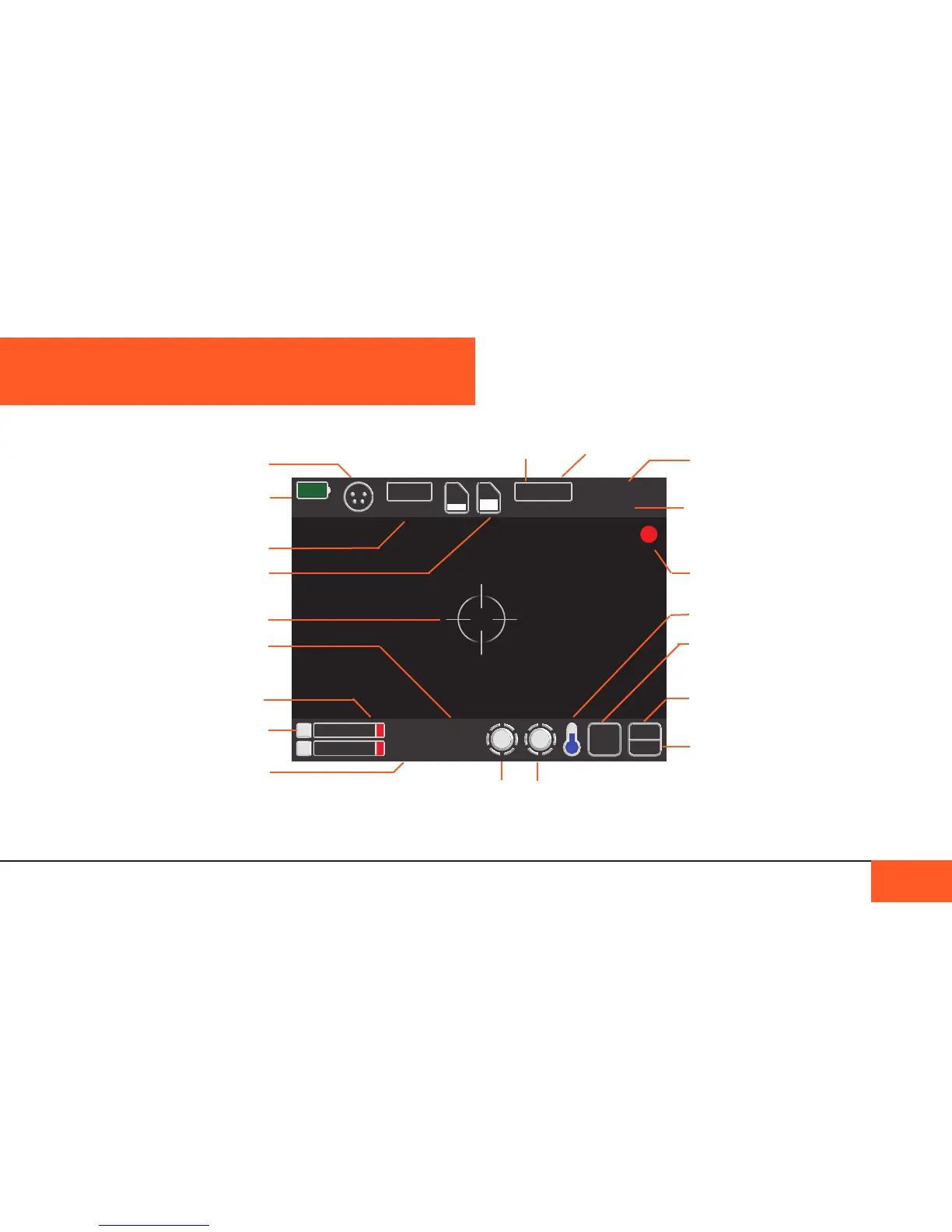
Home Screen
The D16 features an easy-to-use menu system and clear icon
display so that you can easily identify and adjust your settings.
DISPLAYS AND MENUS
DISPLAYS AND MENUS 16
2
1
WB
D
AI
AIFF 08/13/14
48K 12:10:35
2K
24FPS
172.8
400
SSD use
50%
Remaining
71716
BA
100%
XLR Power
Battery
SSD Drive
CF Cards
Crosshair
Display on/off via
Display Button
Mic Volume
Mic On/Off
indicator
Audio Format
Adjust via Audio
Menu
Front Crank
Adjust/disable via
Crank 1 Menu
Frames Remaining
Recording Indicator
Shutter Angle
Adjust via Image
Menu
Resolution
Adjust via Image
Menu
White Balance
Adjust via Image
Menu
ISO
Adjust via Image
Menu
Crank Mode
Frames Per Second
Adjust via Menu or by
using Crank
Date / Time
Display on/off via
Settings Menu
Rear Crank
Adjust/disable via
Crank 2 Menu
Temperature Gauge