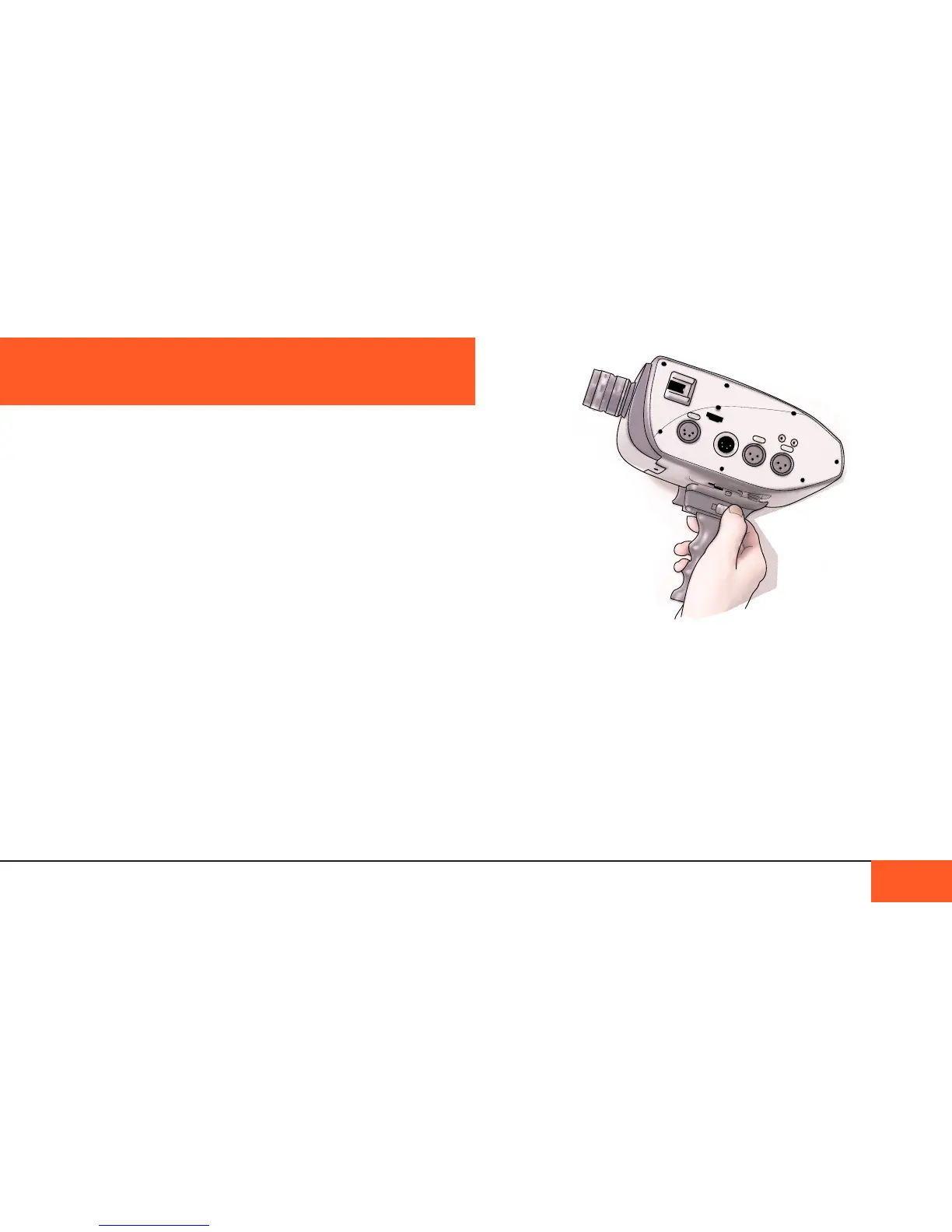
The pistol grip
The D16 pistol grip attaches to the D16 via the front-facing of
two standard tripod mounts on the base of the camera body.
Secure the tripod screw at the top of the pistol grip into the
tripod mount on the camera by rotating the wheel on the top of
the pistol grip, turning right until fully tightened.
Recording with the pistol grip
When the pistol grip is attached, you may press and hold down
the trigger to record footage. Press and release quickly to shoot
single frames or short bursts of frames.
You can use a variety of accessories with the D16. There are 2
cold shoe mounts for mounting accessories like EVFs, portable
lights, or shotgun microphones, allowing you to customize your
D16 with different accessory congurations.
Using the cold shoe-mounts
Many consumer and professional accessories use a shoe-
mount to attach the accessory to a camera. A shoe-mount is
“hot” if it can supply power to the accesory, and “cold” if it does
not supply power, like those on the D16.
To use the shoe-mount, slide the accessory into the shoe. Make
sure to lock the accessory in place with the provided fastener. If
the accessory cannot lock into place, it is not advisable to use
that accessory, as it may slide off the mount and break.
1/4-20 (standard tripod) mounts are commonly used with a
shoe-mount to secure other accessories that cannot slide right
into the shoe-mount, such as external audio recorders.
WARNING: Do not place heavy accessories in either the
top or side cold shoe-mount or you may risk damaging the
accessory or the mount itself.
CAMERA ACCESSORIES
CAMERA ACCESSORIES 36



 To Next Page