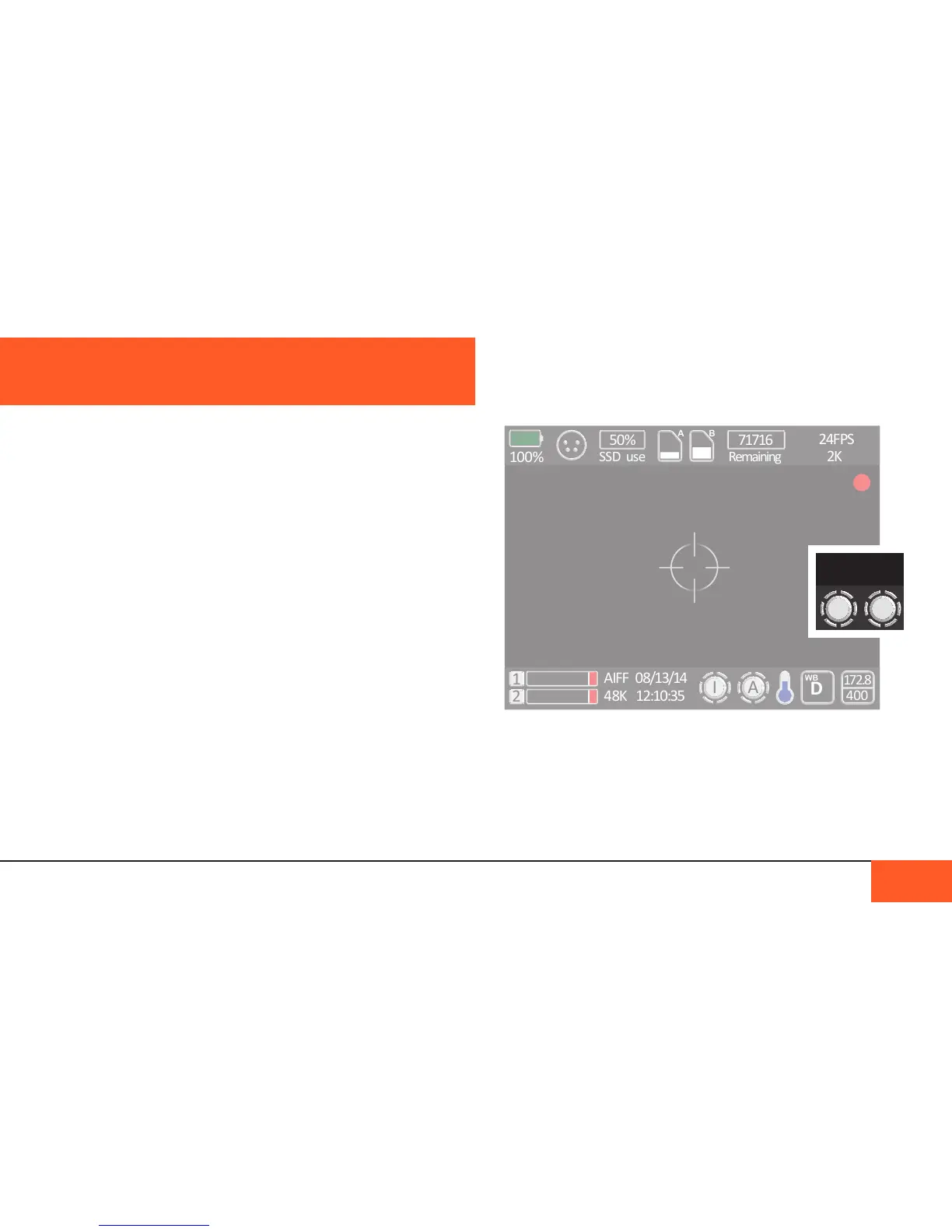
Home Screen Icons
To check which setting your cranks are assigned to without
accessing the crank menu, look at the crank icons on the
bottom right of the Home Screen.
Using both crank options at once
We encourage users to set both cranks if you need to access
some functions on the go. However, if you are using both the
RAW color mode for checking exposure and have turned LCD
Gain to LOW, you may have issues checking exposure. We
recommend always staying on MED when using RAW mode.
There are two cranks on the left side of the D16 camera which
can be programmed to perform a number of different functions
that you may want to adjust on-the-y while recording.
Assigning functions
To assign a function to the cranks, hit the MENU button and
select the CRANK menu. There are currently 6 functions that
may be assigned to each crank:
- Shutter Angle
- ISO
- LCD GAIN (onboard monitor brightness)
- Headphone Volume
- Color Mode
- LCD Zoom
Select the crank you would like to use (CRANK 1 is the forward
crank and CRANK 2 the rear) and choose the option you want
to be able to adjust. When not in use, it is recommended to
switch both cranks to OFF to avoid unintentionally changing
your settings while recording.
You cannot have both cranks set to the same option at the
same time.
USING THE CRANKS
USING THE CRANK 34



 To Next Page