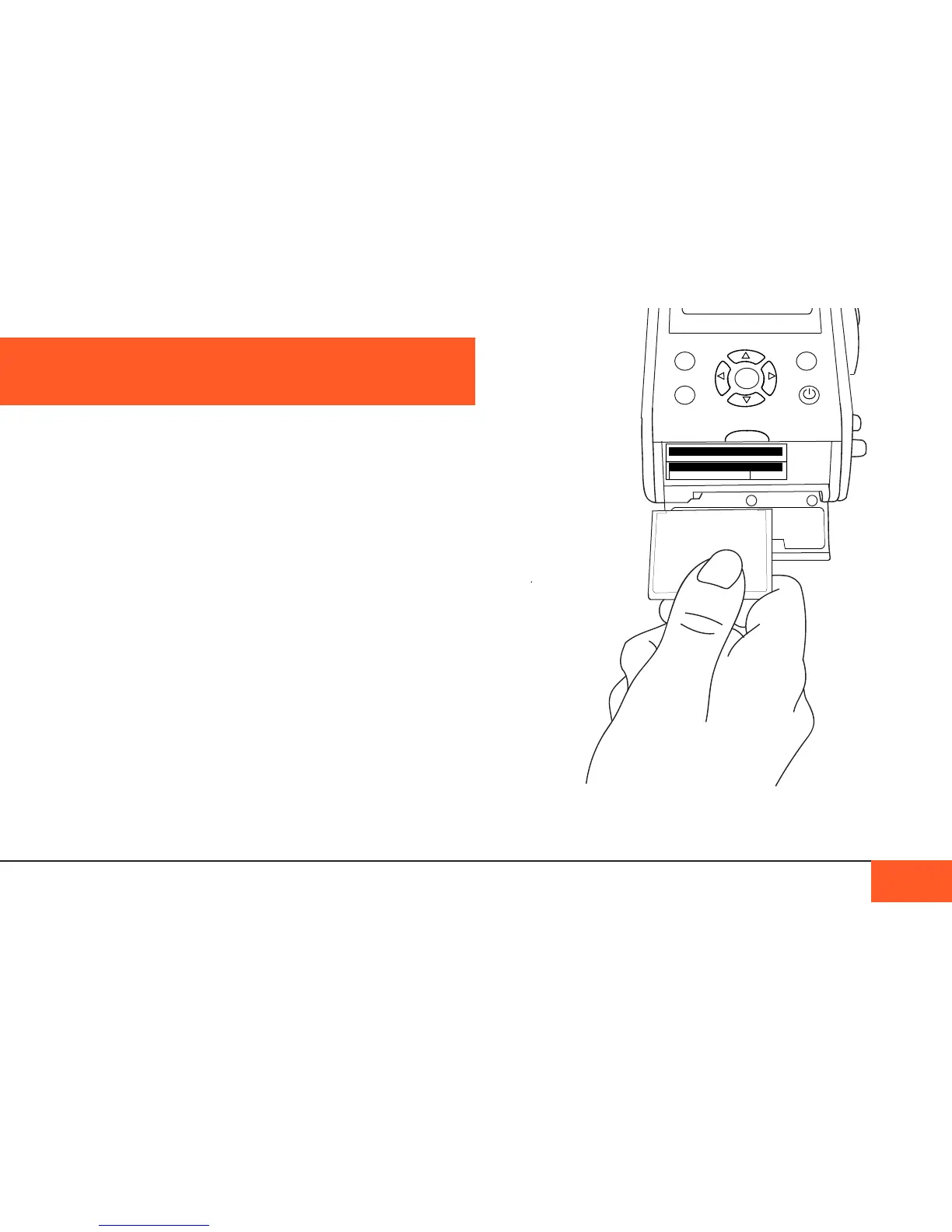
Close the door whenever you are not inserting or removing
cards to avoid getting any dust or debris inside the camera.
Managing data on your D16 is easy. The D16 records two
le types, .CinemaDNG and .aiff, to CF cards and an internal
256GB or 512GB Enterprise-class SSD.
The internal SSD acts as a redundant backup system and
buffer for the CF cards; footage shot will write rst to the SSD
and then may be transferred to CF cards, if desired, ensuring
no data-loss on the cards. This means you can use any CF
cards with the D16, even if without the highest write speeds.
Using CF cards
The D16 can handle CF cards of any size and write speed. We
recommend using CF cards of at least 16GB each, as the D16
writes 5GB per minute of footage, and CF cards can ll quickly.
Both CF cards do not need to be the same size, but it is
recommended. You do not need to two CF cards to shoot, you
may use only one at a time.
Inserting the CF cards
To insert the CF cards into your D16, open the door on the rear
of the camera. There are two CF slots: A (top) and B (bottom).
DATA MANAGEMENT
DATA MANAGEMENT 28
accessing the
cf caRD slots in
the ReaR of the
caMeRa.
REC
ENTER
MENU
DISP



 To Next Page