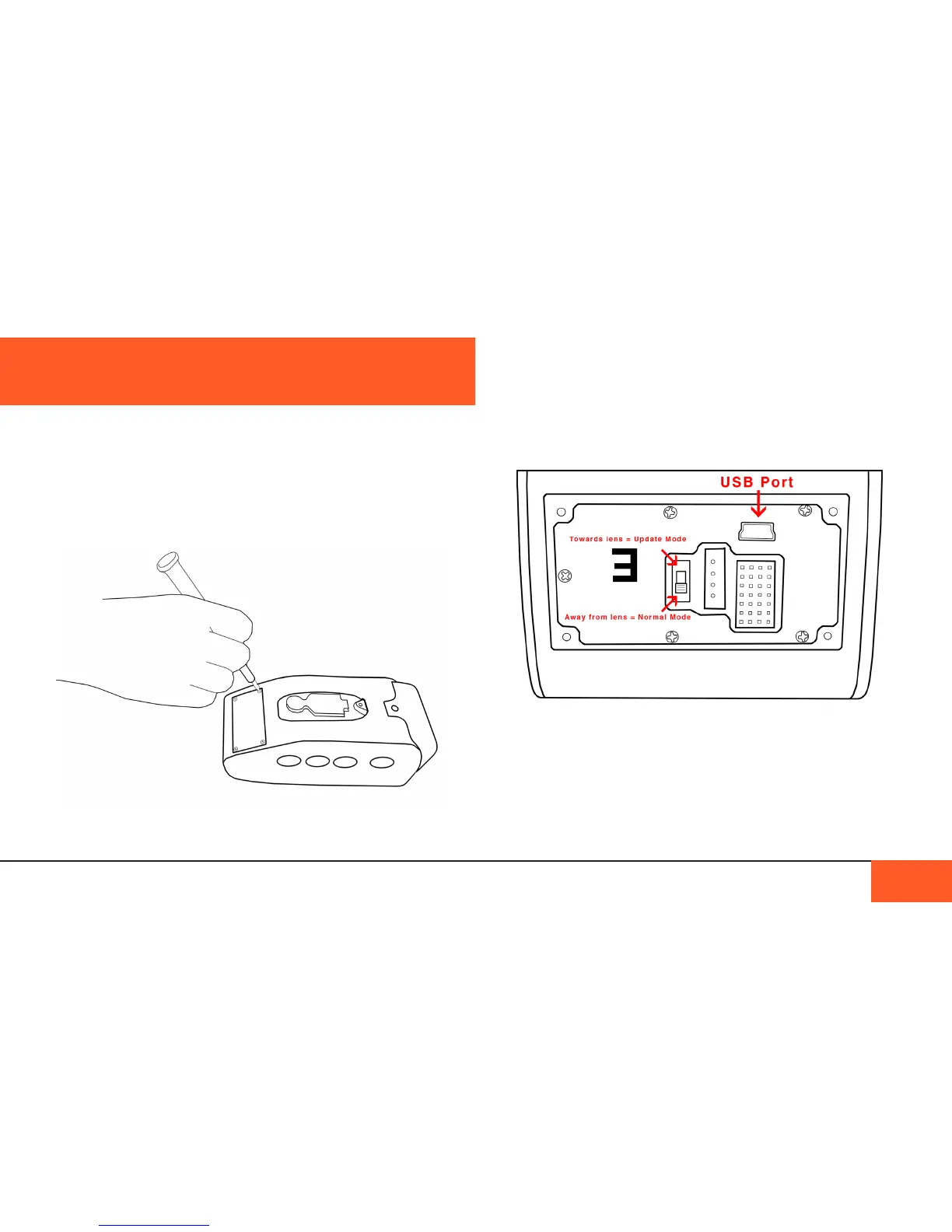
On the bottom of the camera is a small hatch attached via 4
small screws. Using a philips head screwdriver, unscrew this
hatch to expose the USB2 port. This port is what you will use to
upgrade your rmware.
To start, move the switch on the lefthand side up towards the
lens port to engage Update Mode.
Connect the USB2 cord to the computer, and open our BOLEX
UTILITES program. (If you do not currently have this installed,
please see “installing the softwaRe” on Page 38.)
Hold the power button for 3 seconds to turn on the camera.
Keep the camera connected to an external power supply to
ensure the camera does not lose power during your upgrade.
When a new version of the D16 rmware is released, you will
want to update your camera.
Before you begin, make sure you have downloaded our BOLEX
UTILITIES program and the latest version of your rmware,
always available on our website at www.digitalbolex.com/
downloads.
(Check which version of the rmware you have currently
installed in the “settings Menu” on Page 25.)
UPDATING THE FIRMWARE
UPDATING THE FIRMWARE 26
accessing the usb2 slot
on the unDeRsiDe of the
caMeRa.



 To Next Page