DS5 Isolated Bipolar Constant Current Stimulator DS5 Operator's Manual 5.0
3. Note that if the DS5 UI Software was already installed on this computer, the installer will ask you if
you wish to modify, repair or uninstall the previous installation.
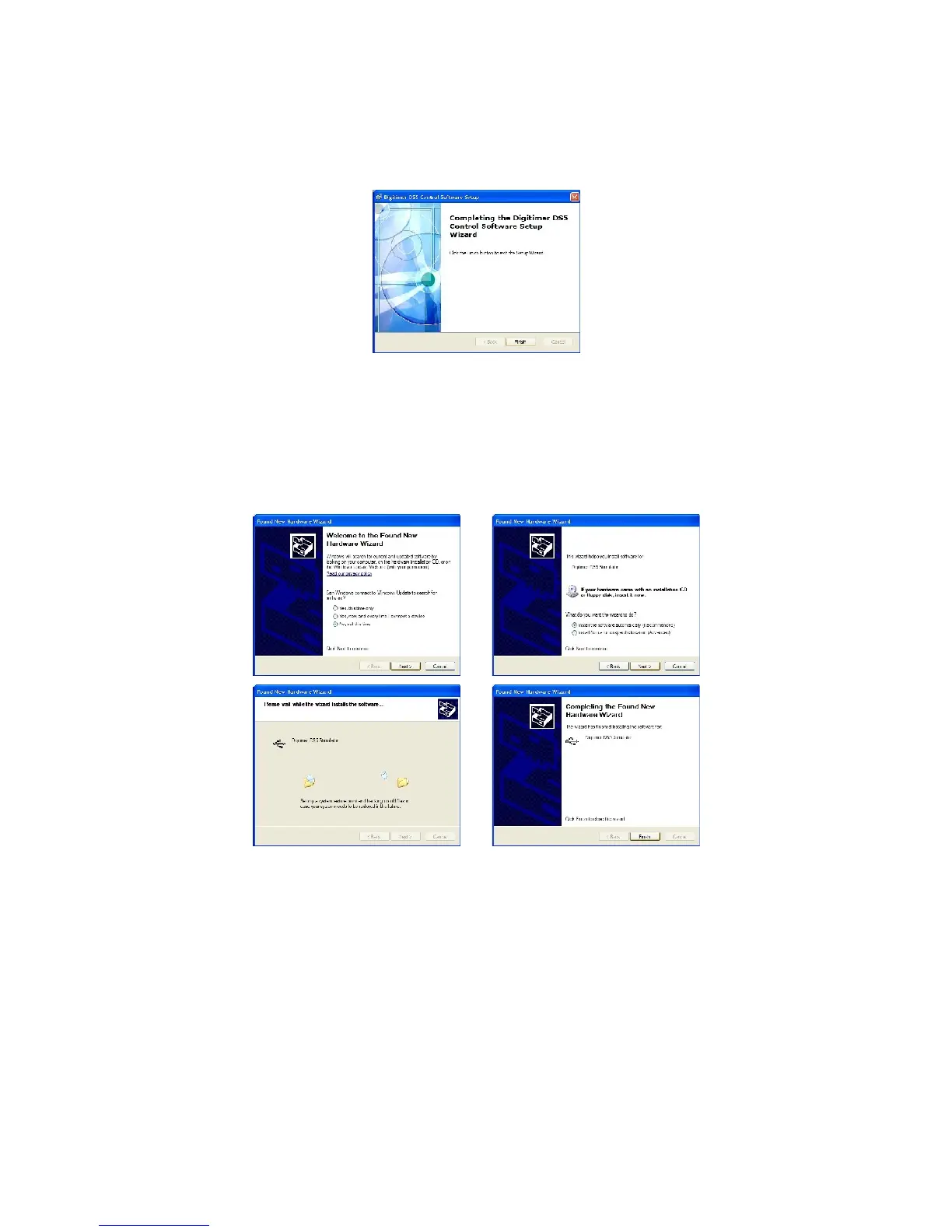
4. Once the software is installed, the DS5 can now be connected to the computer via the supplied USB
cable and powered on.
5. Windows
TM
should alert you that new hardware (Digitimer DS5) has been connected. Please follow
the hardware installation process according to the illustrations below.
6. Once the DS5 is installed, the DS5 UI Software can be run via the Windows Start Menu under
START > All Programs > Digitimer DS5 Control Software > DS5UI
7. Running the DS5UI opens two windows:-
(i) The DS5 Device List - Lists information about the DS5 connected to the computer,
including the firmware version and serial number.
Digitimer Ltd. 38 of 52 Copyright © 2009


 To Next Page