DS5 Isolated Bipolar Constant Current Stimulator DS5 Operator's Manual 5.0
ANNEX 2:- Installing & Using the DS5 User Interface (DS5 UI)
Software
IMPORTANT - The DS5 should NOT be connected to the computer via the USB cable until the DS5 UI
software has been successfully installed.
Installation of the DS5 UI Software
The first installation of the DS5 UI Software should be carried out on a computer which has an internet
connection, as it may be necessary for the DS5 to install a remote firmware update as part of the installation
process. Subsequent use of the DS5 UI Software does not require an internet enabled PC.
1. Please download the LATEST version of the Digitimer DS5 UI Software Installer from the Digitimer
website (http://update.digitimer.com/DS5/software/latest/ ). Click once on “setup.exe” and save the
file to a known location, such as the Desktop on the computer to be used with the DS5.
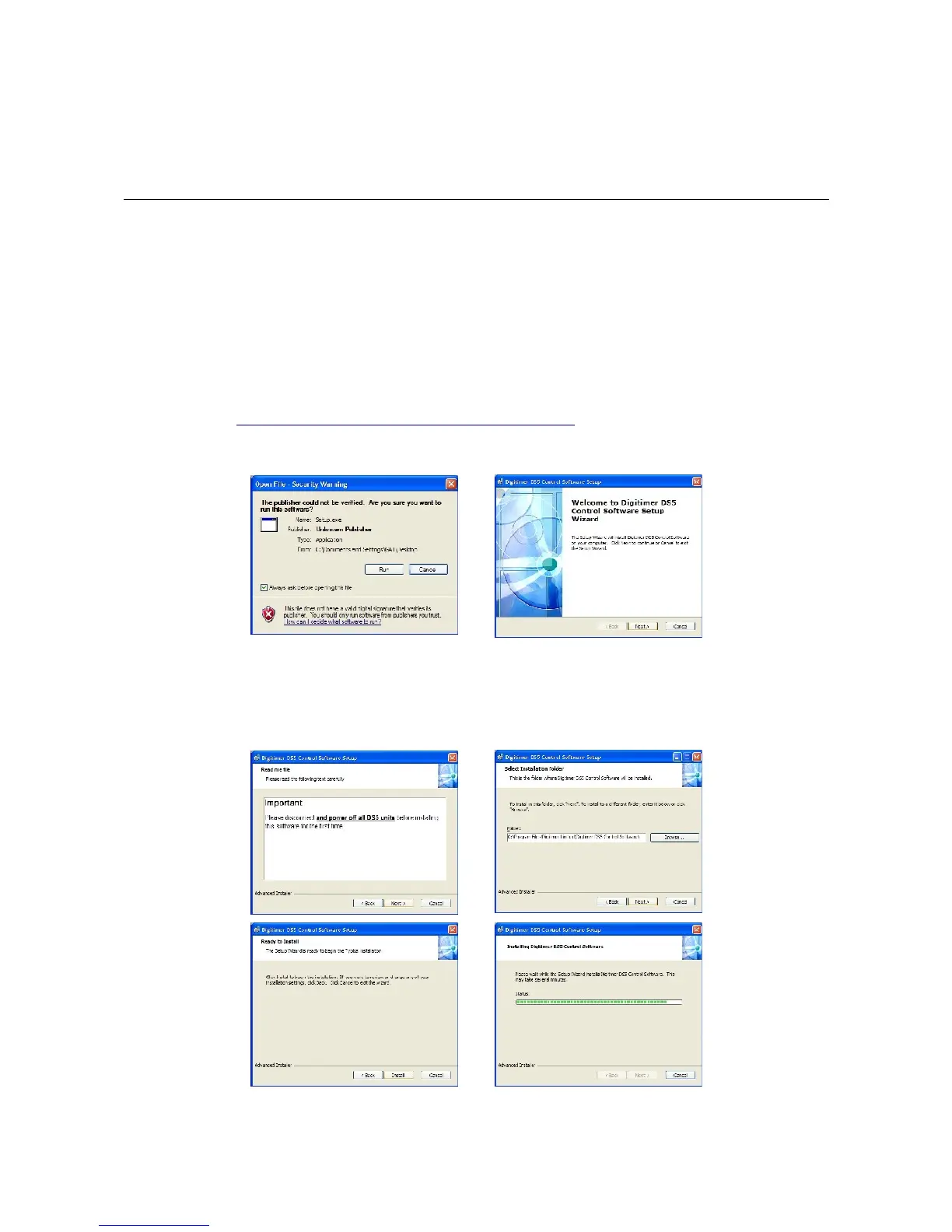
2. Double-click on setup.exe to install the DS5 UI Software. You may see a warning that the software
publisher could not be verified, please ignore this by clicking on Run to proceed and then follow the
on-screen instructions until the installation is completed.
Digitimer Ltd. 37 of 52 Copyright © 2009



 To Next Page