DS5 Isolated Bipolar Constant Current Stimulator DS5 Operator's Manual 5.0
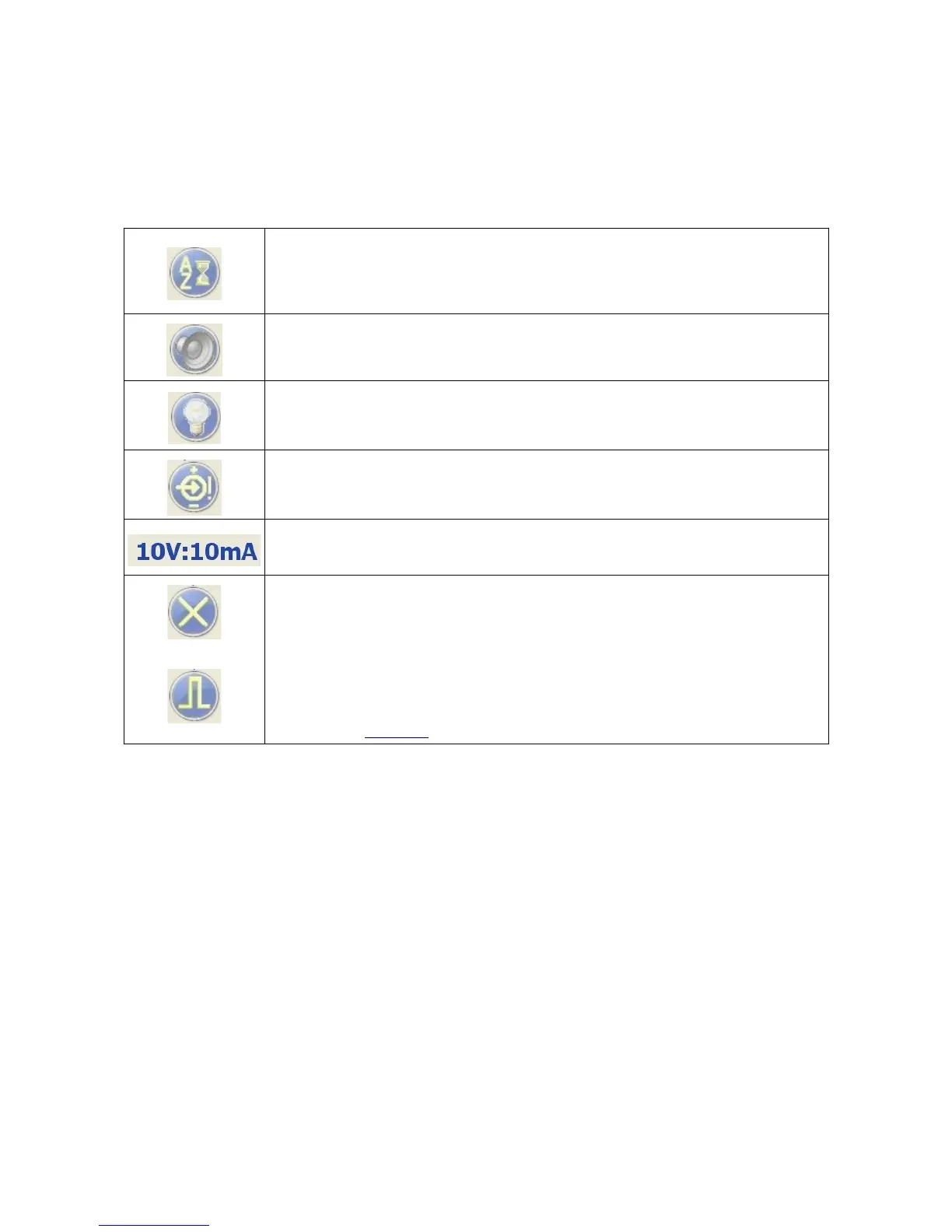
Status Indicator Icons
These icons generally mirror those displayed on the DS5 front panel and provide information on the settings
and status of the DS5. For more information on the meaning of these icons, please consult Chapter 3 of
the DS5 Operators Manual.
Autozero – Under normal conditions this area is blank. A flashing autozero icon
here indicates that 5 minutes has elapsed since the last autzero event. This area also
displays other icons equivalent to those shown in the F2 zone of the DS5 front panel,
please consult the DS5 Operators Manual for more information.
Buzzer – Double-click to toggle the audible warning on or off. A yellow cross
through the icon indicates the audible warning has been disabled.
Backlight – Double-click to turn the backlight on or off. Turning the back-light off
can reduce electrical noise from the stimulator. A yellow cross through the icon
indicates the backlight has been disabled.
Input – Under normal conditions, this area is blank, however, if the input voltage
range is exceeded the icon shown is displayed. Equivalent to Zone B of the DS5 front
panel
IP/OP Range – Shows the active Input Voltage and Output Current ranges.
Output Disabled – Double-click to disable the stimulator output. The output can
only be re-enabled by using the orange momentary action toggle switch on the DS5
front panel.
Output Enabled – Shown when the output has been enabled using the orange
momentary action toggle switch.
Other icons equivalent to those displayed in the F4 zone of the DS5 front panel
display can also appear here. For more information on the meaning of these icons,
please consult Chapter 3 of this manual.
Digitimer Ltd. 46 of 52 Copyright © 2009


 To Next Page