OPERATIONAL MANUAL
- 26 - D03S THERMAL TRANSFER OVERPRINTER
4. OPERATION
4.1 START THE PRINTER
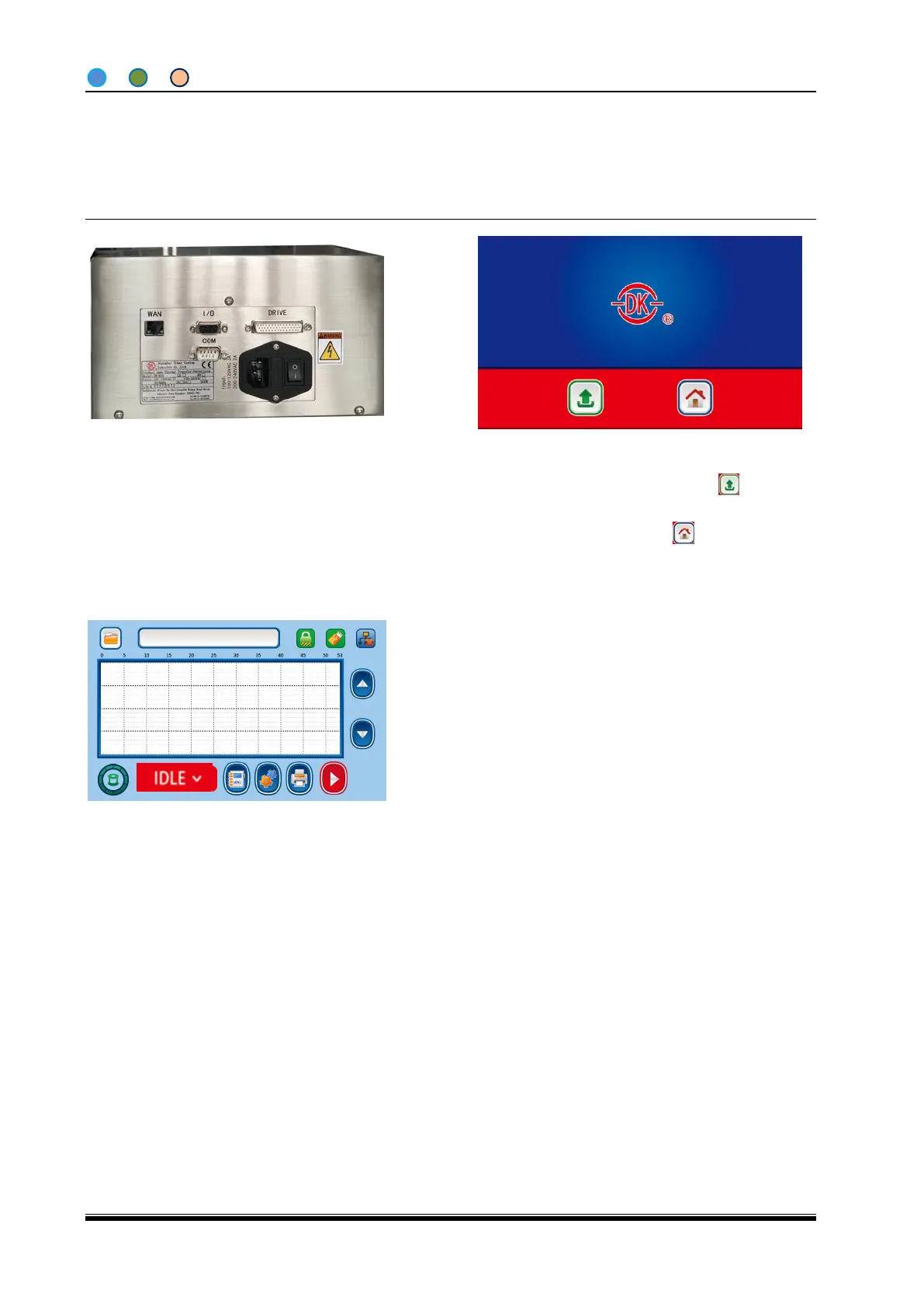
1. Make sure all the air pipe, drive
cable, power cable, I/O cables are
well connected, switch O to I to
turn the machine on;
2. Power on the printer, enter into the above
screen after a boot animation. Touch to
enter Software Update. Touch to enter
home screen. If no touch, 5seconds later it will
automatically enter into home screen.
3 . The printer starts initialization after
entering home screen, then comes into
“IDLE” mode (ready to print) after seconds
of self-test.



 To Next Page