OPERATIONAL MANUAL
- 46 - D03S THERMAL TRANSFER OVERPRINTER
4.6 PARAMETER SETTING
4.6.1 Set the Horizontal Offset
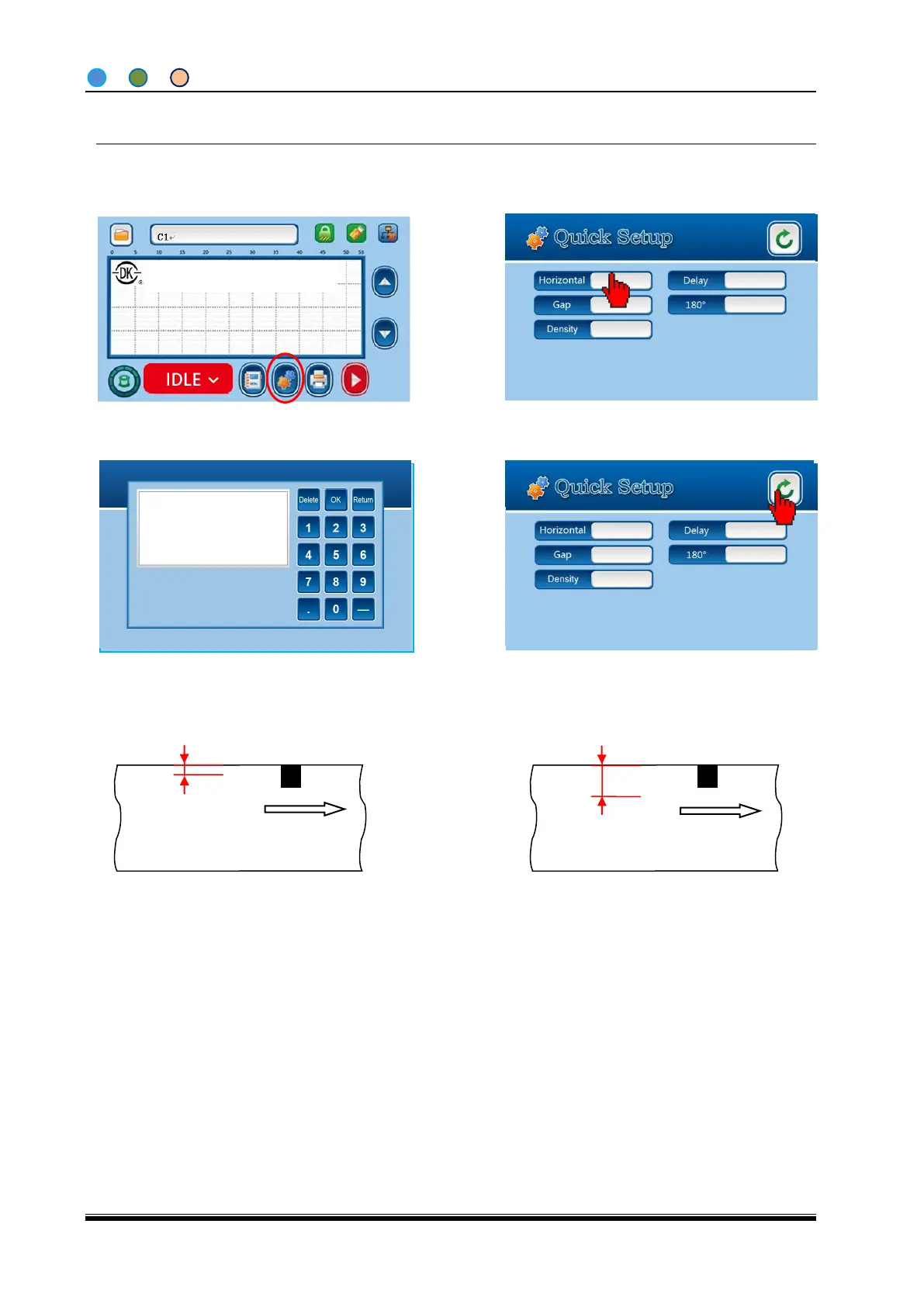
1. From the Home Screen (IDLE), click
“Quick Set Up”.
2. Click “Horizontal” option to pop up a
Digit Keypad.
3. Enter the number (1 refers to 0.1mm),
then click “OK” button back to Quick
Setup Screen.
4. Click”Back” and go back to Home
Screen. The Horizontal Offset setting is
done.
Print position (100=10mm)
Note: You can adjust the print position largely by moving the Printer unit along the bracket.
Shanghai Dikai Coding Industry



 To Next Page