OPERATIONAL MANUAL
D03S THERMAL TRANSFER OVERPRINTER - 45 -
4.5.4 EXPORT PRINT FILE
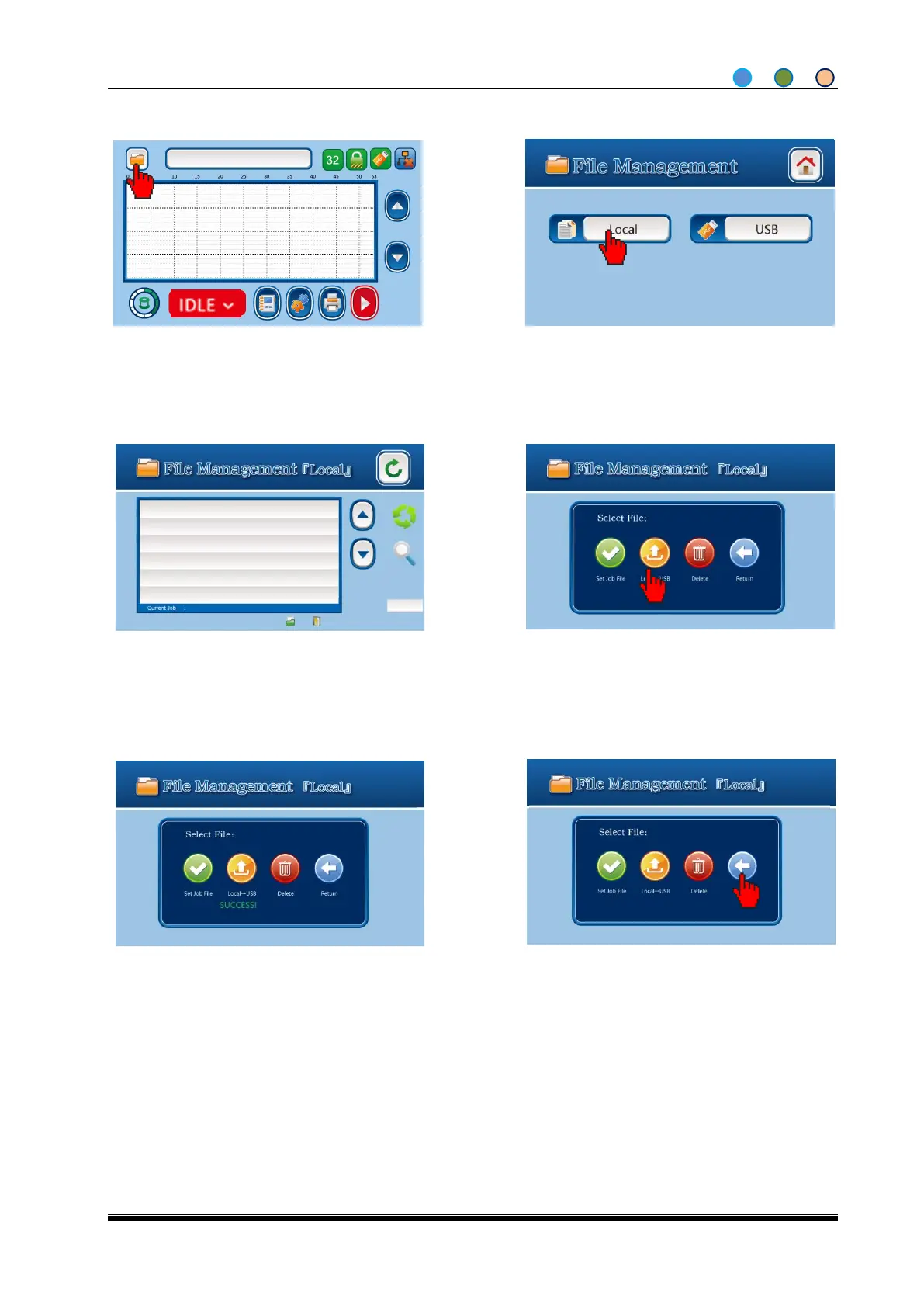
1. Insert the USB containing the “dikai”
folder; enter file management from home
screen or menu screen in IDLE status.
3. Select the print file;
4. Save the print job to USB by clicking ”save
to USB”; click Return if there is any wrong
action
6. Go back to Local File Management screen
by clicking Return.
Repeat to export more or finish by simply
take off the USB
5. The print files are saved successfully when
SUCCESS appears.
Note: Export the file means copy the local file to USB



 To Next Page