OPERATIONAL MANUAL
- 74 - D03S THERMAL TRANSFER OVERPRINTER
5.3 REPLACING THE PRINTHEAD
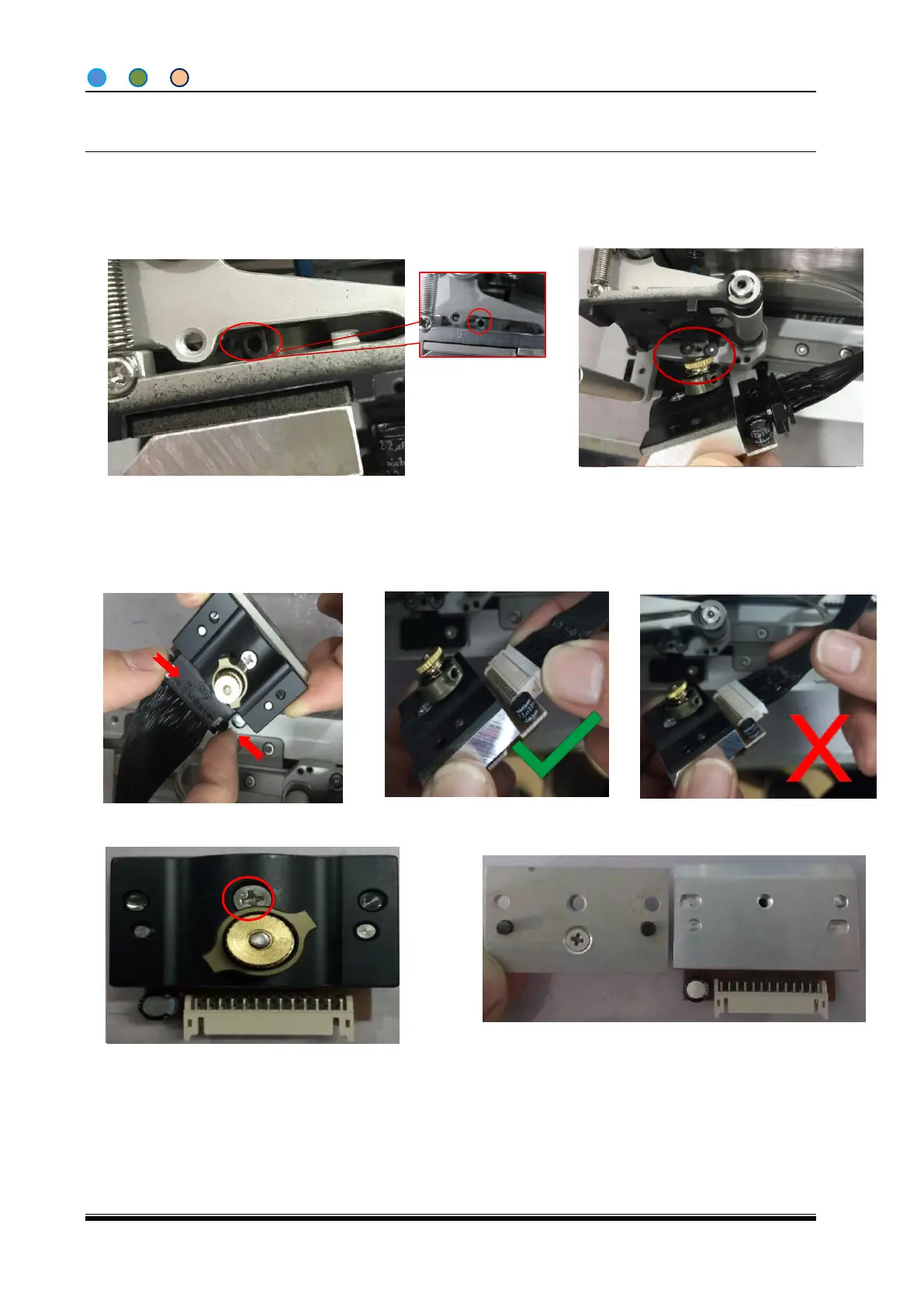
4. Take out the Printhead as shown.
3. Insert ∅ 2mm screwdriver to the hole.
1. Turn off the power to the controller and cut off the air supply to the printer body.
2. Remove the ribbon cassette.
8. Operate oppositely to replace a new printhead.
6. Remove the retaining screw.
7. Note the location pin, remove the connection
block, and carefully handle the old printhead.
9. Make sure printhead is secured into the print module, set the correct printhead voltage
as below.
5. Pull out the print head cable, hold the cable instead of pulling.



 To Next Page