OPERATIONAL MANUAL
D03S THERMAL TRANSFER OVERPRINTER - 13 -
3.4 INSTALLATION OF THE MOUNTING BRACKET
Make sure enough room for the mounting bracket installation and easy operation;
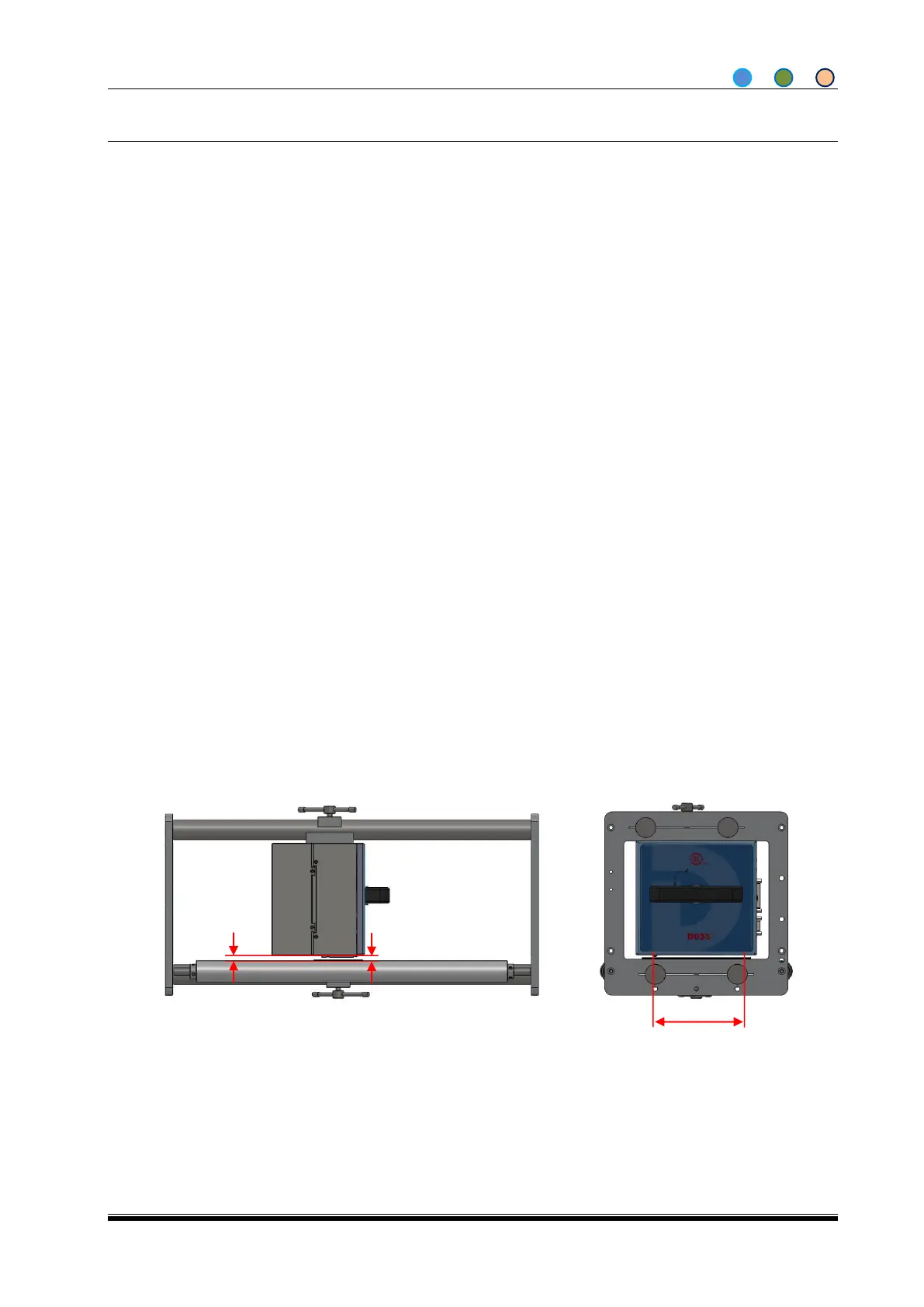
Make sure the bracket is well fixed and the printer roller and the packaging machine roller are parallel;
Mount the Printer Unit after the bracket is well installed, make sure Print head is paralleled to the
rubber roller or rubber anvil;
Make sure the gap between Print head and substrate is within 1.5~2.5mm;
Make sure all the screws used for installation not influence the packing machine running.
In fixing the printer, the key point is to adjust the gap between the printhead (original position) and the
substrate
Note: Use wood, plastics or other non-conductive material instead of metal to measure the gap. Adjust the
gap into proper by adding or removing cushion. The gap is the key to the performance of the machine.
Here’re some disciplines to follow:
1. Make sure the gap is between 1.5-2.5mm;
2. The print head is parallel to the substrate;
3. The substrate is more than 65mm width.
Intermittent:
Peel Roller (Print head) is paralleled to the Rubber Anvil.



 To Next Page