Operation Manual
D0 3 S Thermal Transfer Overprinter
- 65 -
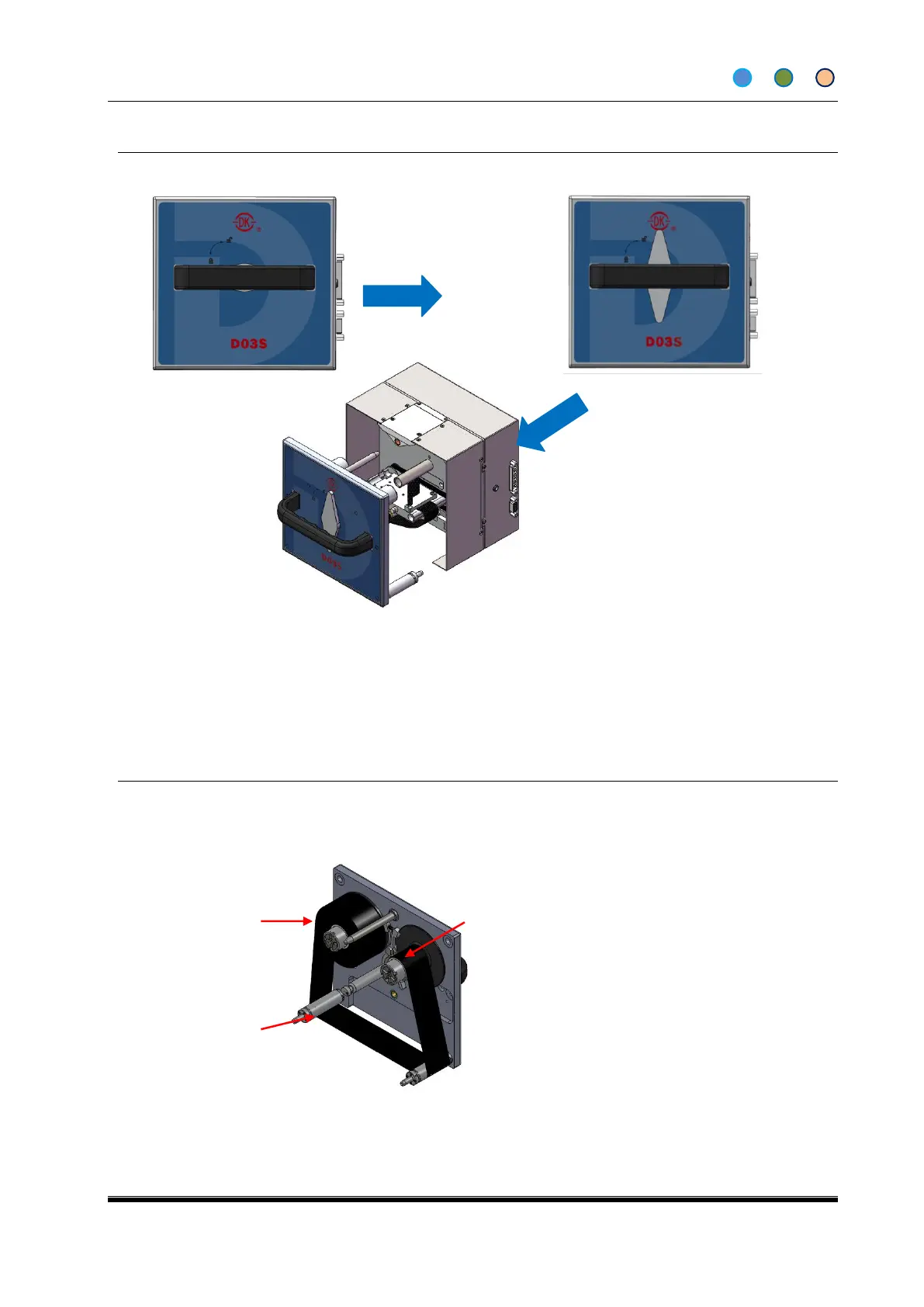
4.8 REMOVING THE CASSETTE
1. Stop the printer into ready screen (IDLE)
2. Unlock the cassette lever
3. Withdraw the cassette with the handle
Note: Follow the opposite steps to install the cassette
4.9 LOADING OR REPLACING THE RIBBON
4.9.1 The Cassette Structure
Used Ribbon
Reel Assembly



 To Next Page