OPERATIONAL MANUAL
- 60 - D03S THERMAL TRANSFER OVERPRINTER
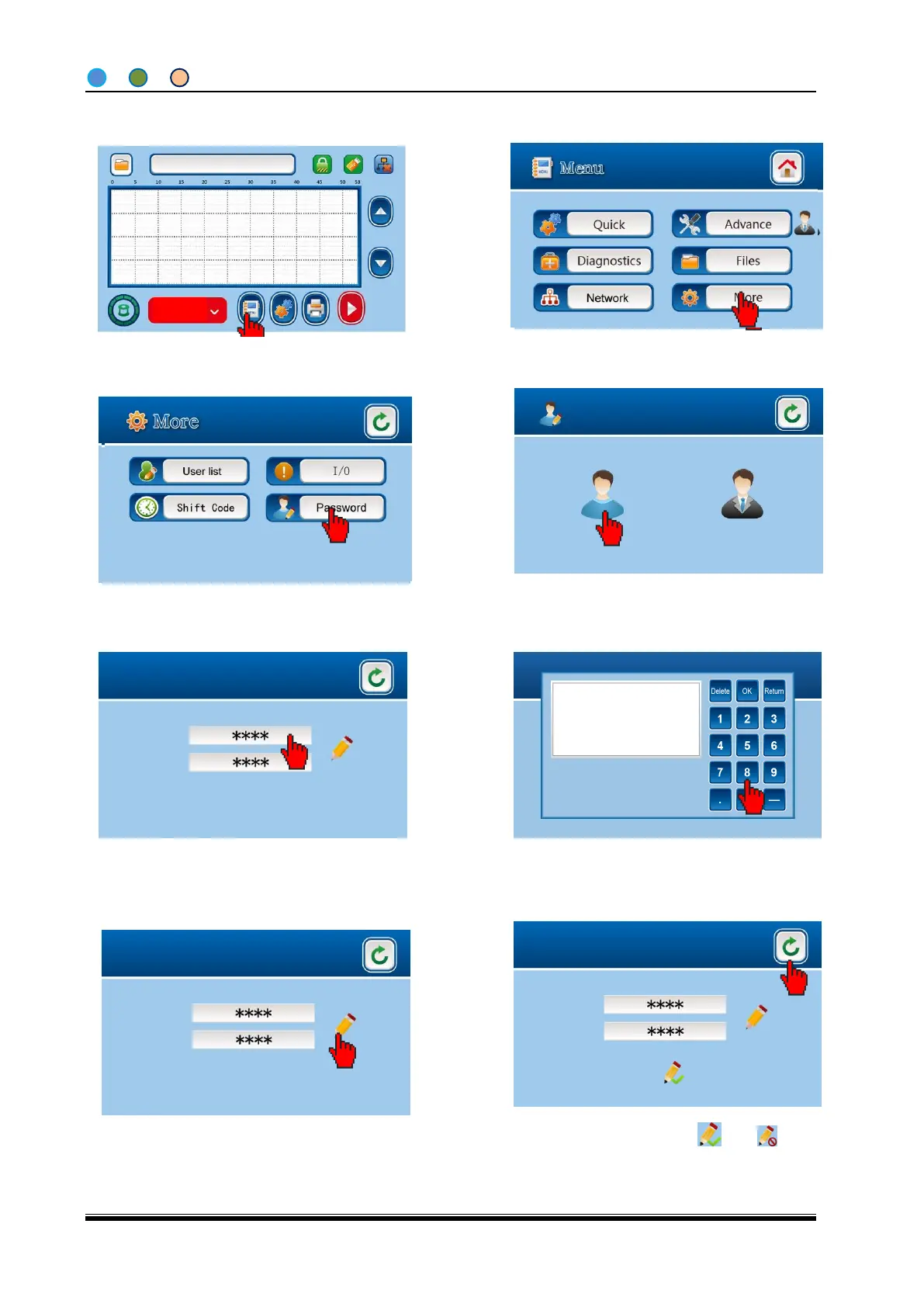
4.6.17 Change the password
2014-09-10 14:30
SN:000001 0001
Shift:A02
1、在待机 1.Click Menu on IDLE screen
4. Input the current password on the password
management screen and click OK. The default
password is “1111”
5. Click the password input column
6. Input the password with 4 digits (the same
password for the two columns, otherwise the
new password is invalid)
8, Finish and return(Success ,Fail )。



 To Next Page