Vehicle Application Guide......................................................................................................................................................................
Installation (Wiring Diagrams & Vehicle Wiring Reference Charts)
Type 1 - with CHTHD1 (R1-R7) /THCHD1 (R1) T-Harness............................................................................................
Type 1 - without T-Harness.............................................................................................................................................
Type 2 - with CHTHD1 (R1-R7) /THCHD1 (R1) T-Harness............................................................................................
Type 2 - without Tharness...............................................................................................................................................
Type 3 - with CHTHD1 (R1-R7) /THCHD1 (R1) T-Harness............................................................................................
Type 3 - without T-Harness.............................................................................................................................................
Type 4 - with CHTHD1 (R1-R7) /THCHD1 (R1) T-Harness............................................................................................
Type 4 - without T-Harness.............................................................................................................................................
Type 5 - with CHTHD2 (R9-R10) /THCHD2 (R1) T-Harness..........................................................................................
Type 5 - without T-Harness.............................................................................................................................................
Type 6 - with CHTHD2 (R9-R10) /THCHD2 (R1) T-Harness.........................................................................................
Type 6 - without T-Harness.............................................................................................................................................
Type 7...............................................................................................................................................................................
SmartStart/XL202 Installation Notes.....................................................................................................................................................
Programming
Module Programming for Installation (with Factory Keyless)...............................................................................................................
Module Programming for Installation (without Factory Keyless)..........................................................................................................
Module Reset........................................................................................................................................................................................
Hard Reset............................................................................................................................................................................................
Feature & Option List............................................................................................................................................................................
Feature Programming...........................................................................................................................................................................
LED Diagnostics & Troubleshooting.....................................................................................................................................................
Parking Light Error Codes....................................................................................................................................................
Limited One-Year Consumer Warranty..................................................................................................................................................
Quick Reference Guide.........................................................................................................................................................................
02
03
04
06
07
09
10
12
13
15
16
19
20
22
24
25
26
27
27
28
29
30
32
33
34
Index
Platform: DBALL2
Firmware: CHRYSLER Remote Start Ready (RSR) Installation
© 2017 Directed. All rights reserved.
Rev.: 20170214
® Chrysler, Dodge, Jeep, Mitsubishi and Volkswagen are registered trademarks and property of their respective companies.
Installation Guide
Update Alert: Firmware updates are posted on the web on a regular basis. We recommend
that you check for firmware and/or install guide updates prior to installing this product.
Important!
This product is NOT compatible with vehicles equipped with a manual transmission.
Remote Start Ready (RSR) is a function that enables the interface module to remote start the vehicle
completely on its own. Consequently, there is no need for an aftermarket or an OEM remote starter in order to
start the vehicle from a distance.
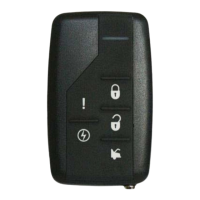
SmartStart Compatible
SmartStart is equipped with D2D, which means it can be connected to an interface module and used in Remote
Start Ready (RSR) mode without the use of a remote starter. See the Module Programming section for more
information.
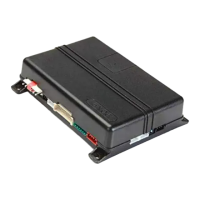
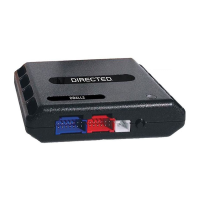
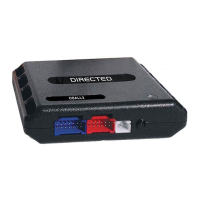
The CHRYSLER firmware for DBALL2 is an all-in-one door lock and override module compatible with
specific Chrysler, Dodge, Jeep, Mitsubishi and Volkswagen vehicles. This guide supports the
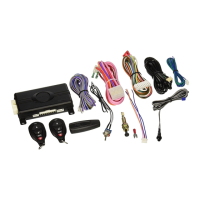
installation of a DBALL2 in Remote Start Ready (RSR) mode with or without a Plug & Play
(CHTHD1/THCHD1 or CHTHD2/THCHD2) T-Harness (optional). This solution offers three (3)
configuration options to control your system: 3x OEM Lock Remote Start Activation, RF System or
SmartStart (all sold separately).
This module can only be flashed and configured using XpressVIP at www.directechs.com or
using the Directechs Mobile application for smartphones. Refer to the Module Programming
section on pages 25-26 for more information.


 To Next Page
 General