66
Controlling Other Components
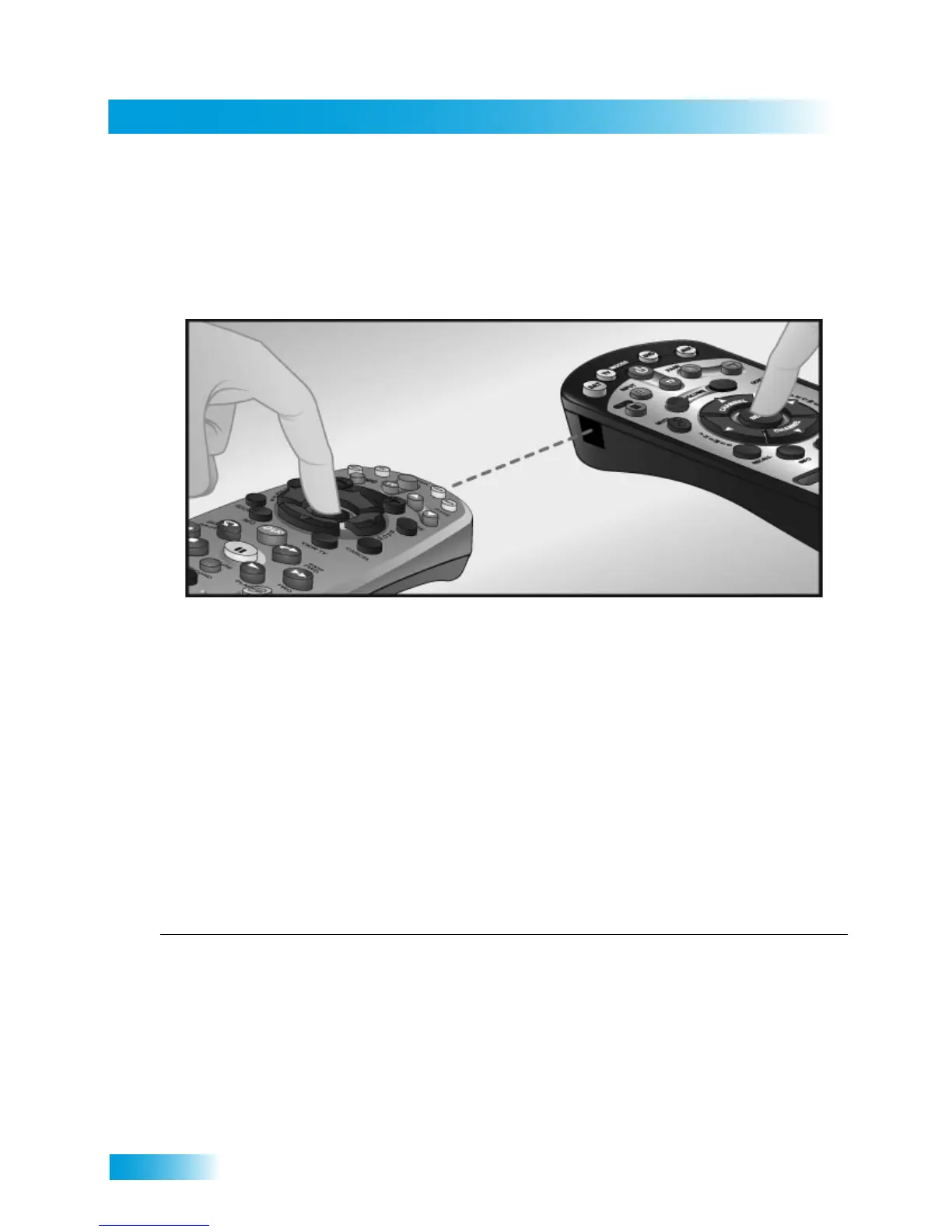
Setting Up by Learning from Another Remote
After you have programmed your DISH remote to control your devices (in TV, DVD/VCR,
or AUX modes), you may find that not all of the commands used by the devices’ original
remote controls function as you expect. The learning function of your DISH remote control
can support these commands.
The remote control can learn commands in two ways:
1 You can follow the instructions for using device codes to program a specific mode, and
then learn commands that add new or overwrite existing functions of the remote control’s
buttons in this mode. For this type of learning, any button without a learned command
keeps the button’s existing function (if any, in that mode) for that particular device code.
2 Each button on this remote learns a command from the equipment’s original remote
control. For this type of learning, any button without a learned command will have no
function for that device.
To “teach” your DISH remote control specific commands for your devices, complete the
following:
Instructions Additional Information
1 Ensure your DISH remote control is
programmed with the desired address.
See “Checking the Remote Control Address”
on page 59.
2 Place both your DISH remote and the origi-
nal equipment’s remote control on a flat,
stable surface.
Holding either remote control in your hand may
cause learning to fail.










 To Next Page